Help
All Attachment Viewer
How to use All Attachment Viewer for ServiceM8
What is All Attachment Viewer?
All Attachment Viewer lets you see every photo, PDF, and file attached to every job at a site — all in one scrollable view. No more clicking through jobs one by one to find what you need. It works on both the ServiceM8 web interface and the mobile app.
Getting Started
Step 1: Install the addon
Visit the ServiceM8 Add-On Store and search for All Attachment Viewer. Look for the icon below and enable it. Once installed, it will appear automatically inside ServiceM8.

Can't find it in the store? It may still be in beta. Use the link below to enable it directly.
Step 2: Open it from a job
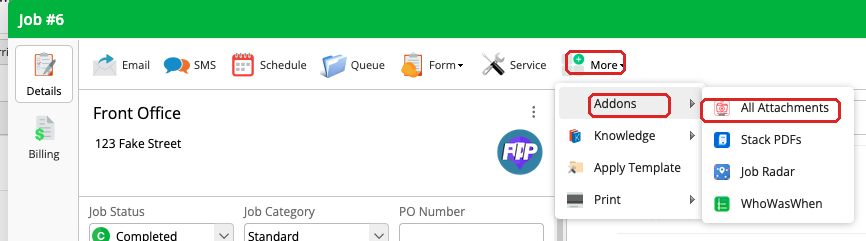
Navigate to any job in ServiceM8. Click More in the toolbar, then hover over Addons to reveal the submenu. Click All Attachments to open the viewer.
Step 3: Wait for it to load
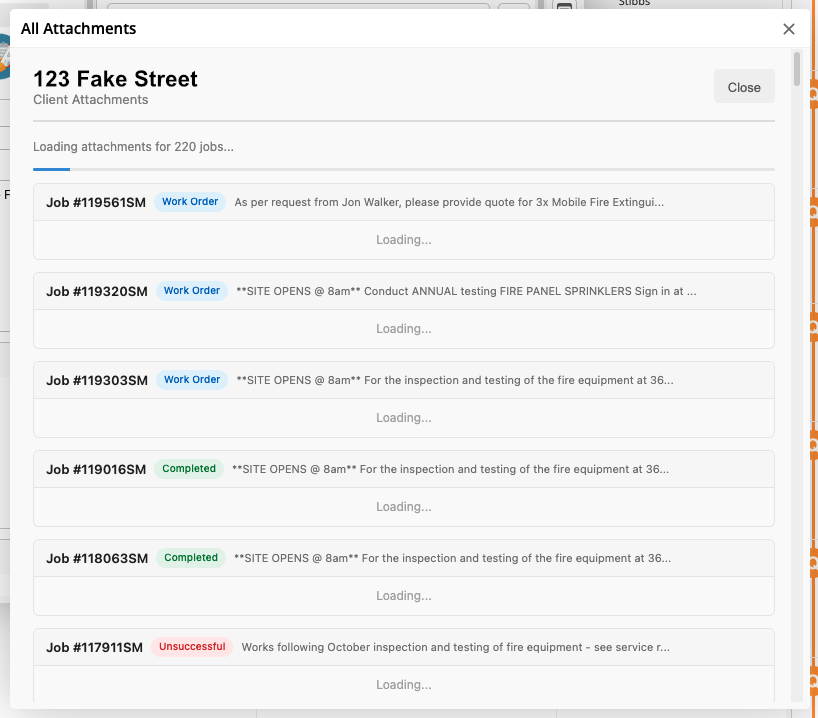
The addon will scan all jobs associated with that site and pull in every attachment. You'll see a loading indicator while it gathers everything.
Using the Web View
On desktop, you'll see a clean overlay displaying all attachments grouped by job. Each job section shows:
- Job number — click to open the job directly
- Status badge — so you can see if the job is active, completed, etc.
- Job description — for quick context
- All attachments — photos and PDFs displayed as thumbnails
Click any attachment to view it full-size. Photos open in a lightbox, and PDFs open for download or preview.

Using the Mobile View
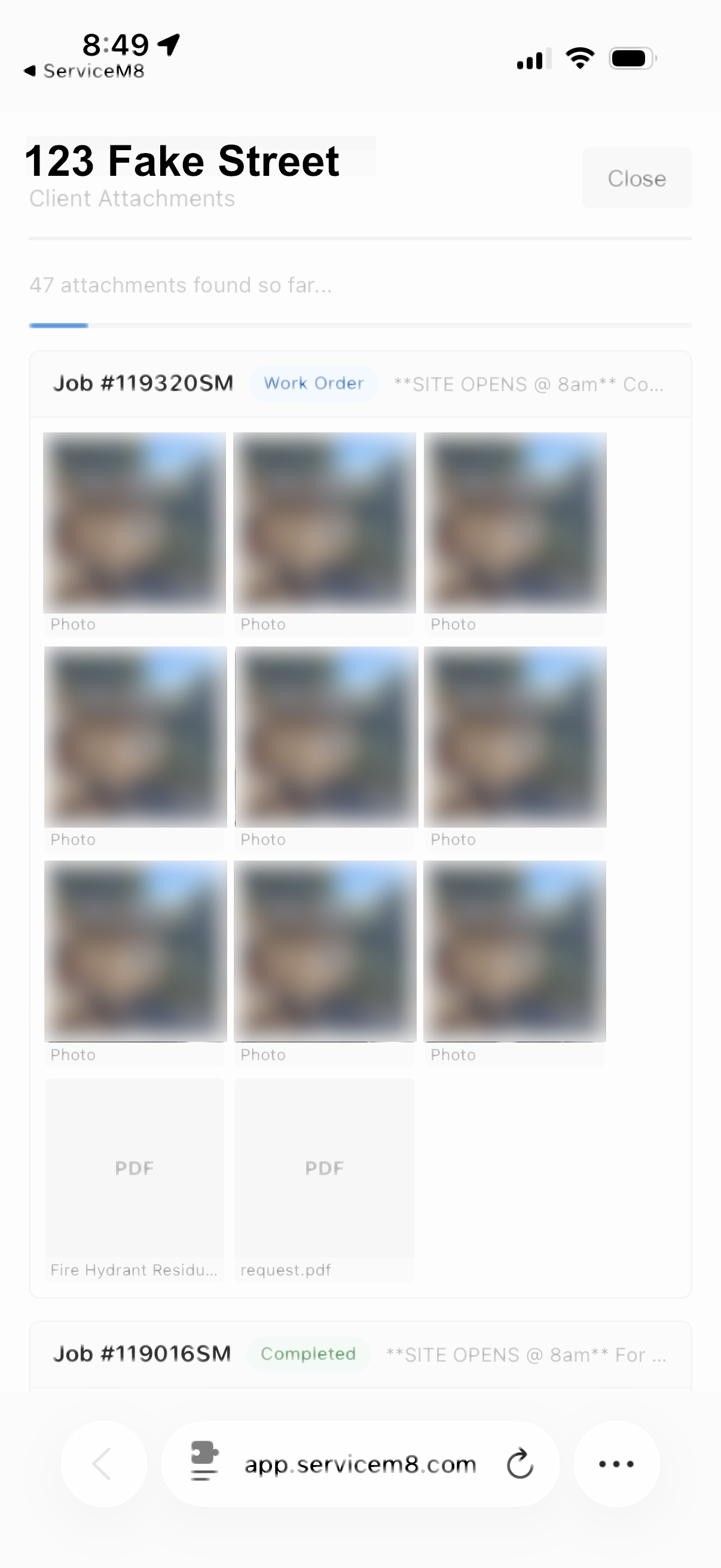
On the ServiceM8 mobile app, the same view is available in a mobile-optimised layout. This is especially useful when you're on-site and need to quickly check what photos or documents were attached to previous jobs at the same location.
- Scroll through all attachments for the site
- Tap any photo to view it full-screen
- Reference past work before starting a new job
- No separate app required — it runs inside ServiceM8
Tips
- The addon shows attachments from all jobs at the same site, not just the job you opened it from
- Jobs are listed with the most recent first
- If a site has a lot of jobs, give it a moment to load — it's pulling attachments from every one
- Works best when your jobs have a site/location assigned in ServiceM8
Need Help?
If you run into any issues or have questions, get in touch and we'll sort you out.