
All Attachment Viewer
Free · On the ServiceM8 Add-on StoreSee every photo and file across an entire ServiceM8 job site in one view.
All Attachment Viewer integrates directly into the ServiceM8 web and mobile interface. Open it from any site and instantly browse every photo, PDF and file attached to every job at that location. All in one scrollable view. No more clicking through jobs one by one.
See It in Action
A quick walkthrough showing how All Attachment Viewer pulls every photo, PDF and file from across an entire ServiceM8 client site into one scrollable view.
- Opens straight from any job's Add-ons menu
- Gathers attachments across the whole site, not just the current job
- Works on desktop and the ServiceM8 mobile app
- Free — available now on the ServiceM8 Add-on Store

Every Site Attachment, One Modal
Open any job at a client/site, click All Attachments from the Add-ons menu, and AAV gathers every photo, PDF and signed form across every job at that site. Grouped by job and laid out so you can scroll and scan quickly.
- Grouped by job with status badges (Work Order, Completed, etc.)
- Photo thumbnails and PDF tiles side by side
- Total attachment count at the top (e.g. "952 attachments across 208 of 220 jobs")
- Click any tile to open the full file
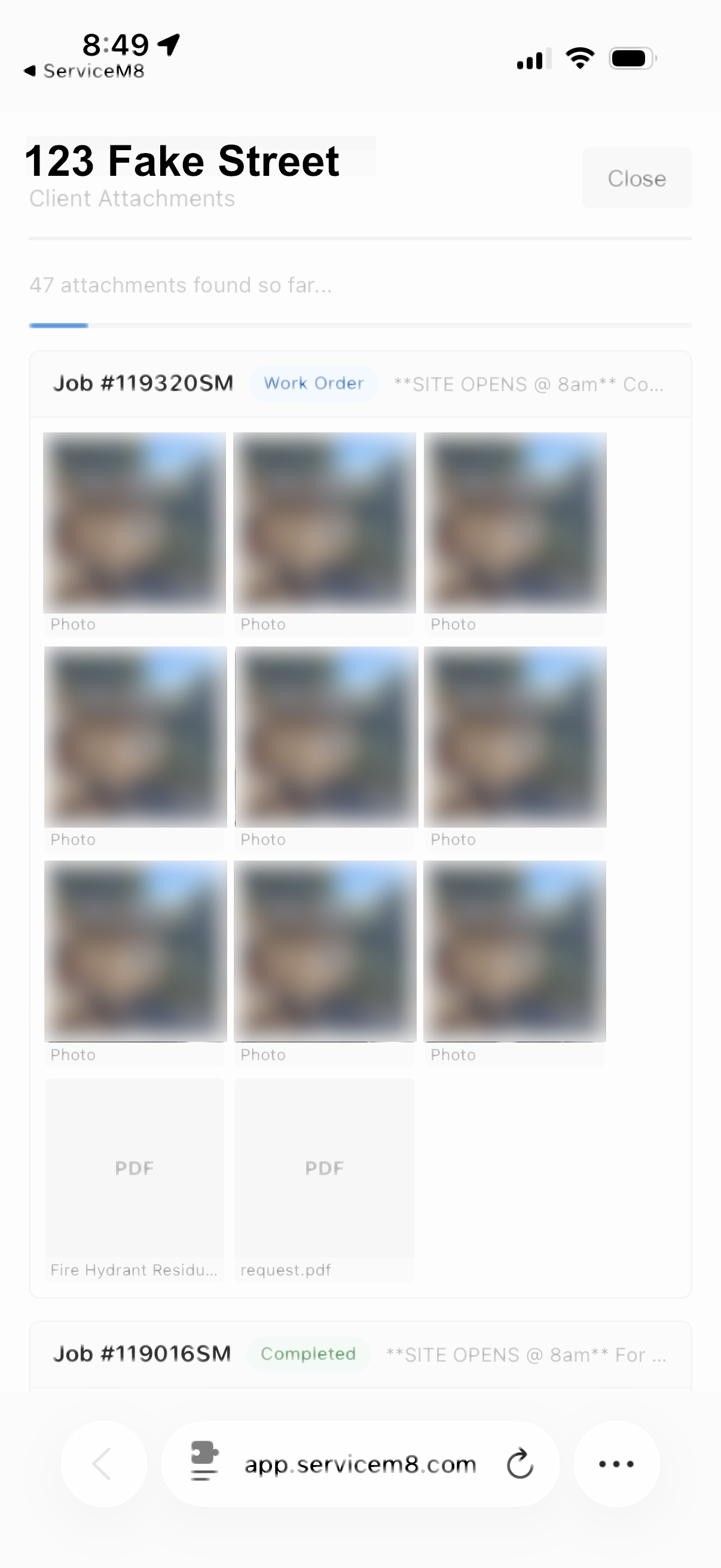
Works on the ServiceM8 Mobile App
The same gallery, on your phone. Perfect for checking previous work on-site before starting a new job. No separate app, no extra login.
- Full mobile support via the ServiceM8 app
- Live loading indicator as attachments stream in
- Scroll through past photos and documents on-site
- Reference previous visits before quoting or starting work
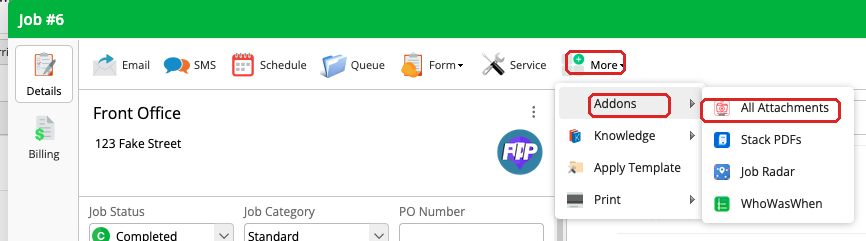
Opens Straight from the Job Card
Open any job in ServiceM8, click More in the toolbar, then hover over Add-ons and pick All Attachment Viewer. AAV opens and gathers every attachment for the whole site, not just this job.
- Works from any job on a site
- Pulls attachments from every job on the same client/site
- No setup required — just install and go
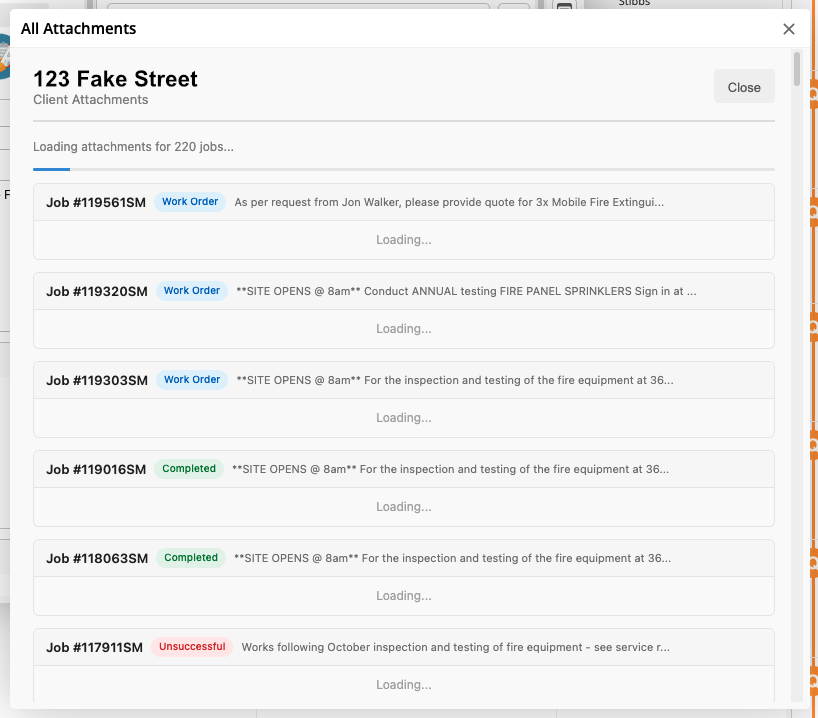
Loads Every File in the Background
AAV scans every job at the site and streams attachments in as it finds them. A live progress indicator keeps you in the loop. Even big sites with hundreds of jobs load smoothly.
- Live "X of Y jobs scanned" progress
- Attachments appear as they're found
- Handles sites with hundreds of jobs gracefully