Reported
$79 AUD/month · 7-day free trialBranded PDF inspection & testing reports built from your ServiceM8 job data. Now live — start a 7-day free trial, no credit card required.
Reported is a powerful report builder for ServiceM8 that lets you create fully branded, professional PDF reports directly from your job data. Build custom templates with drag-and-drop blocks — cover pages, customer info, job details, asset test results, status summaries, and more. Generate the report and it automatically attaches straight back to the job in ServiceM8, ready to send to your client.
See It in Action
A quick walkthrough showing how Reported lets you design report templates with drag-and-drop blocks, then generates branded PDFs straight from your ServiceM8 job data.
- Drag-and-drop template builder
- Pulls live data from ServiceM8 jobs and assets
- Polished, branded PDF output
- Attaches the report back to the job automatically

Build Reports That Look the Part
Design templates once and reuse them across every job. Each report pulls live data straight from ServiceM8 — no copying, no formatting, no manual work.
- Drag-and-drop template builder
- Cover page, customer info, job details blocks
- Asset test results with pass/fail/defect status
- Asset type & status summary tables
- Custom text and form text blocks
- Manual test report & asset register support
- Fully branded with your logo and colours
- Clean PDF output ready to send to clients
- Automatically attached back to the job in ServiceM8
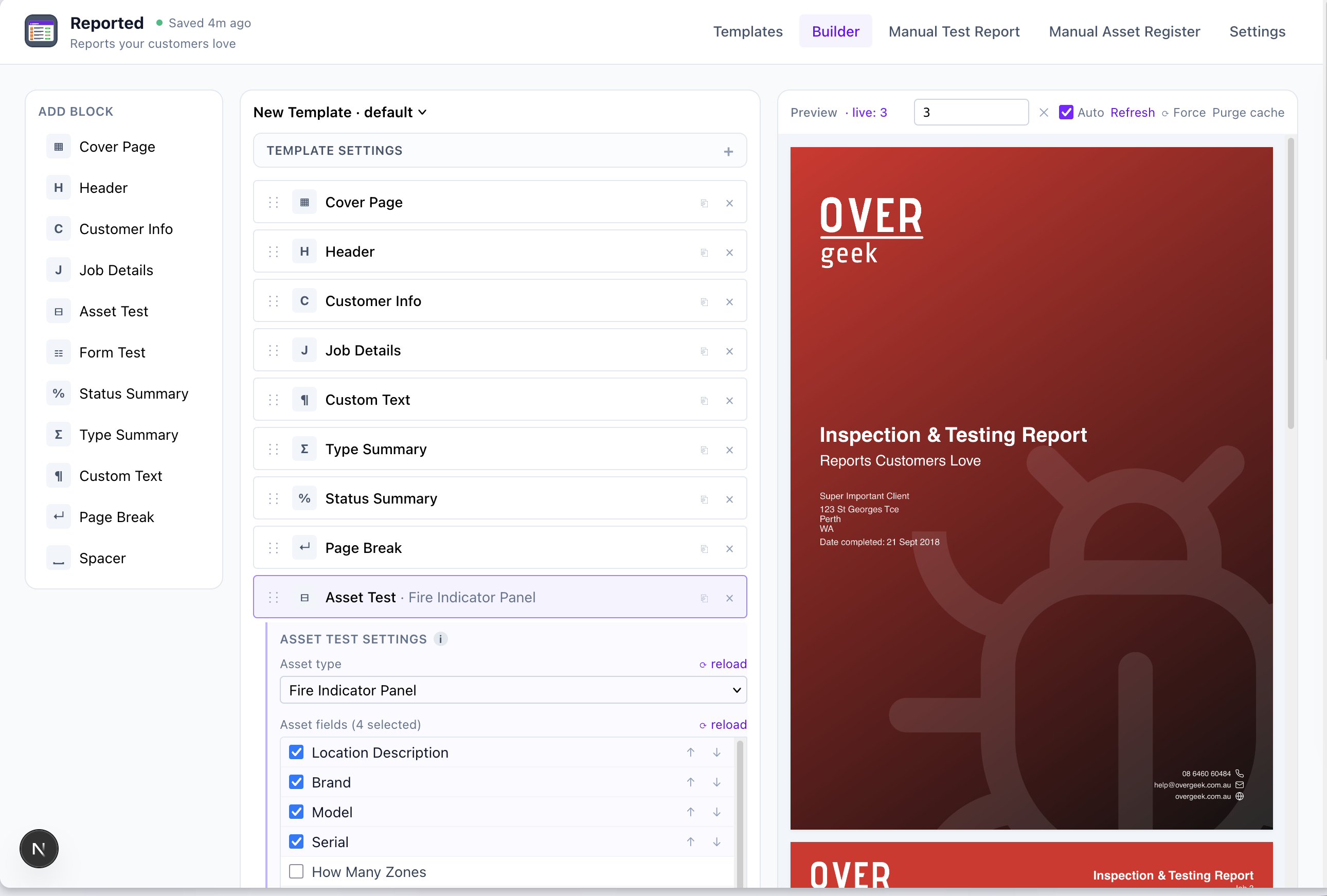
Template Builder
Build and customise your report templates without any coding. Add, remove, and reorder blocks to match exactly what your reports need — then preview the output live as you work.
- Drag-and-drop block editor
- Live PDF preview as you build
- Multiple templates per account
- Asset fields fully configurable per block
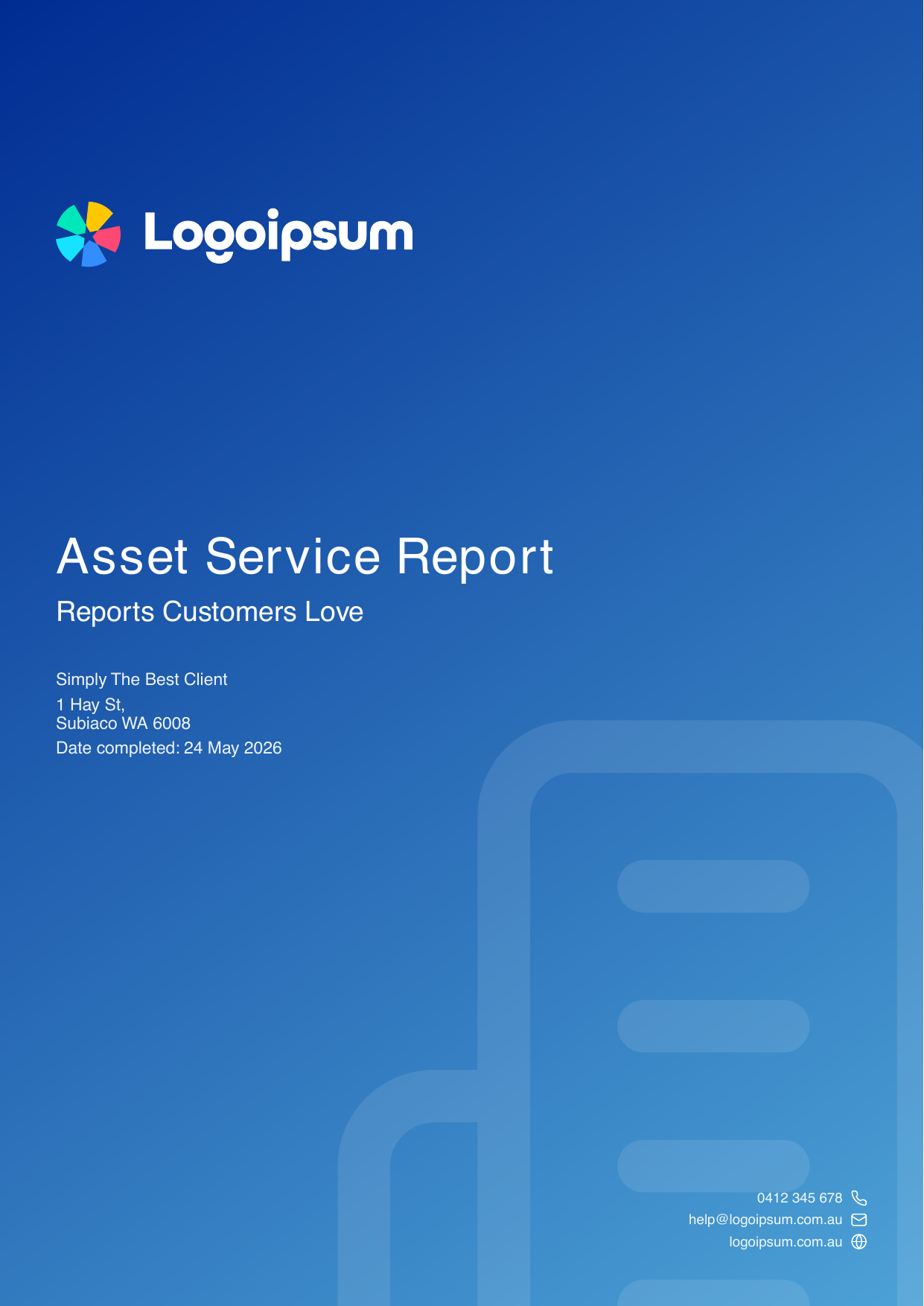
See a Real Report
Here’s an actual sample report produced by Reported — the kind of branded PDF you can send to your client virtually instantly after the job is closed.
- Cover page, customer details and job summary
- Per-asset test results with pass / fail / defect status
- Asset register and status totals
- Clean, print-ready layout straight from ServiceM8
Quote Headstart NEW
Reported doesn’t stop at the PDF. Turn on Quote Headstart and any failed assets get rolled straight into a new follow-up quote in ServiceM8 — saving you the manual chore of writing one up from scratch.
- Optional — enable per template when you want it
- Automatically creates a new job (quote) in ServiceM8
- Attaches the original report so the client has context
- Failed assets get added to the job description
- Each failure becomes a checklist item ready for you to price up
- Skip the manual copy-paste between report and quote
Also Exports to CSV / Excel
Reported isn’t just PDFs. The same job data can be exported as a CSV or Excel spreadsheet — so you can hand your client both the polished testing document and the raw, formatted data behind it.
- CSV and Excel (.xlsx) output alongside the branded PDF
- Asset register, test results and status totals in clean columns
- Ready for the client’s own compliance system, spreadsheet or audit trail
- Professional options — let the client pick the format that fits their workflow
- Attached back to the ServiceM8 job alongside the PDF
7-Day Free Trial · No Credit Card Required
Reported is live. Sign up at reported.overgeek.com.au and get a full 7 days to try it — no card required to start. After the trial it’s $79 AUD / month, billed externally from ServiceM8.
Start 7-Day TrialHeads up: ServiceM8 may show an “unverified” warning
Reported isn’t on the ServiceM8 Add-on Store yet, so when you connect it ServiceM8 may show a warning that the add-on hasn’t been verified by them. That’s normal — always be cautious about these warnings and only accept and enable trusted add-ons. Please review our Privacy Policy and Terms & Conditions, and if you have any questions please reach out.