
AssetWagon
Free · Manual InstallExport your ServiceM8 asset data to Excel or a Google Earth map in a few clicks. Installed directly via Over Geek — not on the ServiceM8 Add-on Store, free to use and will stay that way.
AssetWagon is a free, read-only ServiceM8 add-on that exports your asset data. Choose your sites and asset types, then download an Excel workbook for analysis, or a KML map file you can open in Google Earth. It never modifies anything in your ServiceM8 account.
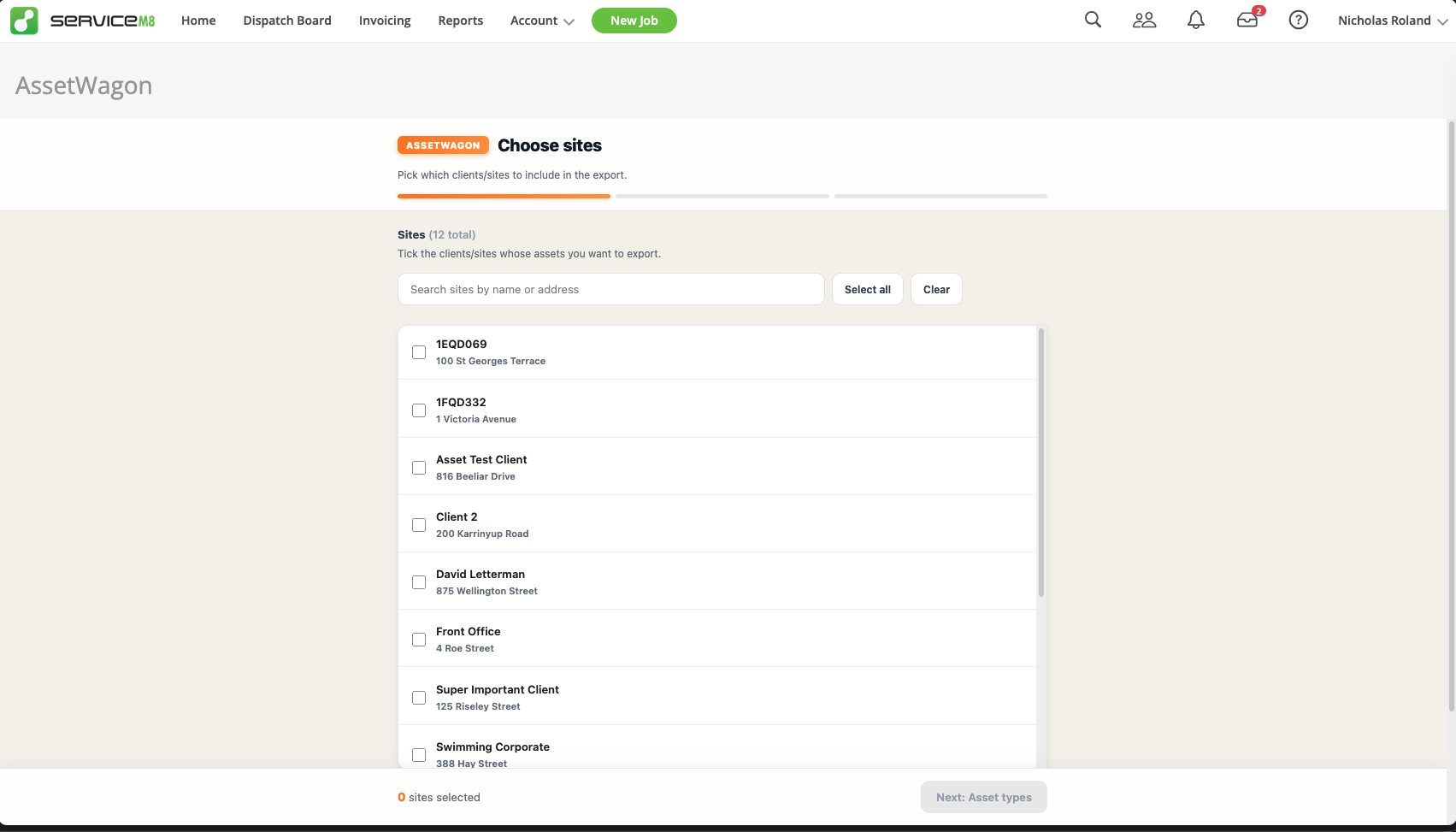
Pick Your Sites & Asset Types
Step through a simple wizard. Choose which sites and asset types you want to export. Search, tick, done.
- Search and bulk-select sites quickly
- Pick one or more asset types per export
- Each type becomes its own sheet or KML folder
- No setup, no config files
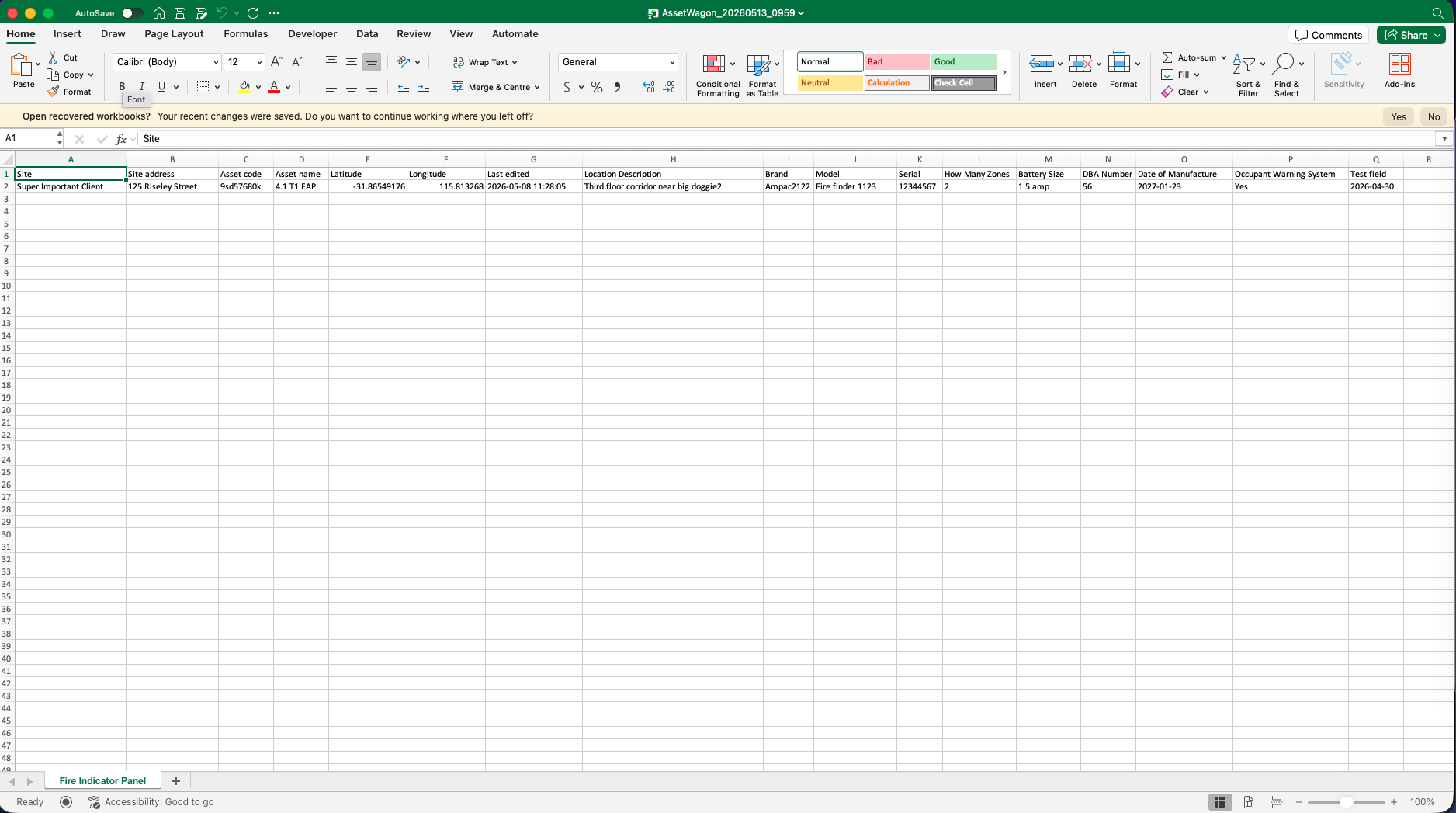
Excel Export
Download a clean .xlsx workbook with one sheet per asset type. Every custom field becomes its own column, with site, address, code, name, coordinates, and last edited timestamp included automatically.
- One sheet per asset type
- Every custom field as a column
- Auto-fitted column widths
- Timestamped filenames so exports don't overwrite each other
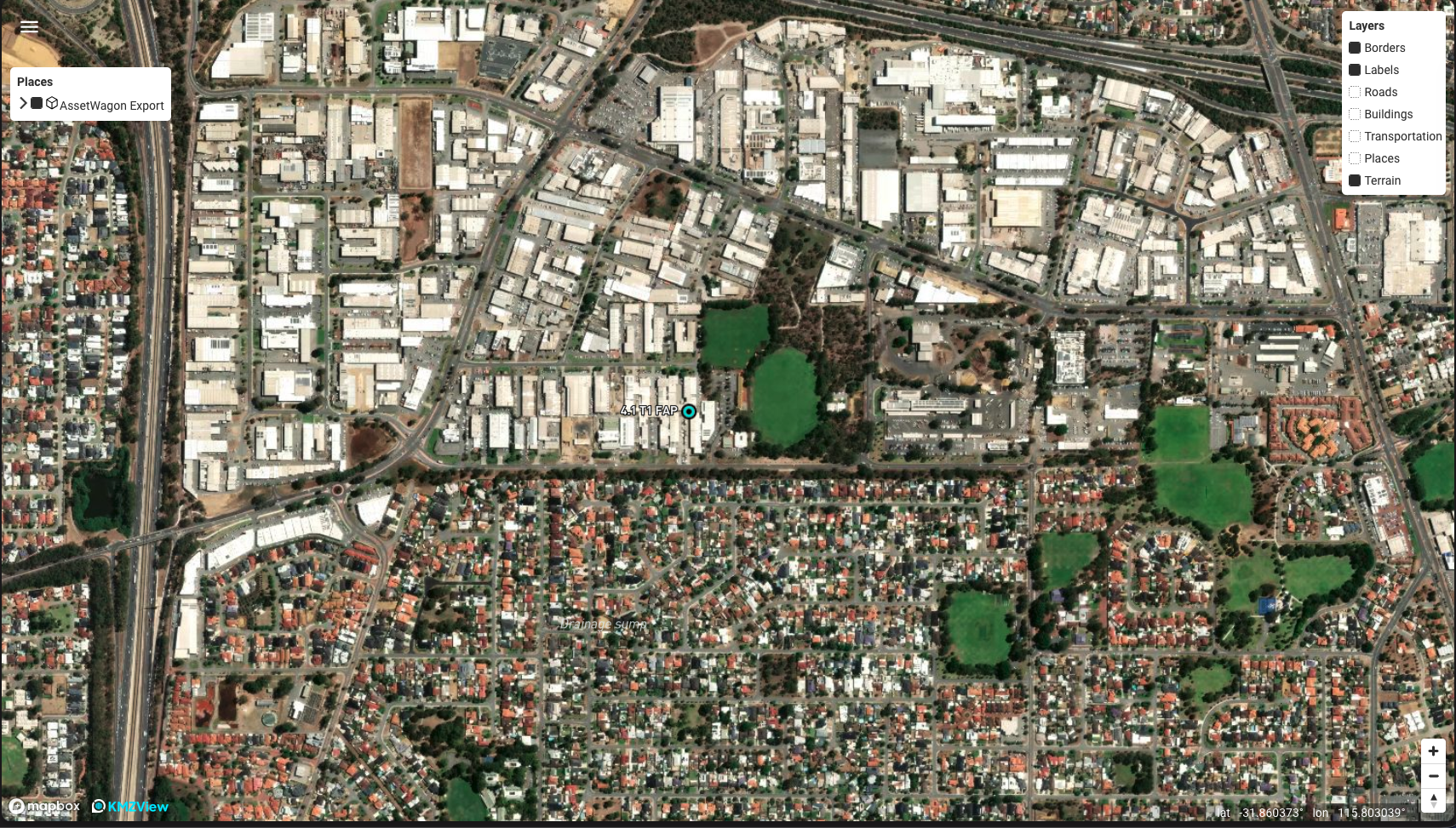
Map Your Assets
Download a KML file and drop it into Google Earth, Google My Maps, or any KML viewer. Every asset becomes a coloured pin (same colour for the same type, every time). Click a pin to see the full field list.
- Coloured pins grouped by asset type
- Each type is its own toggleable folder
- Click any pin for a full field table
- Works in Google Earth, My Maps, QGIS and more