
Billfold
$8.99 AUD/month · 7-day free trialConsolidated Invoicing for ServiceM8. Roll several completed jobs into one tidy invoice — without double-billing the customer.
Billfold lets you pull together every completed job for a client (or across multiple sites of one client) and bundle them into a single new invoice job. Each source job becomes a heading line followed by its materials, and the originals are safely zeroed out with a tracking line so nothing ever gets invoiced twice. Hand the customer one clean invoice instead of fifteen.
See It in Action
A quick walkthrough of the four-step Billfold flow — choose the work, tick the jobs, set up the consolidated job, and let Billfold build the invoice while you watch.
- 4-step wizard: Choose work → Pick jobs → New invoice → Build
- Works for a single client or across multiple sites of one client
- Live progress bar while the new job is built — recovers safely if a step fails
- One clean invoice for the customer at the end
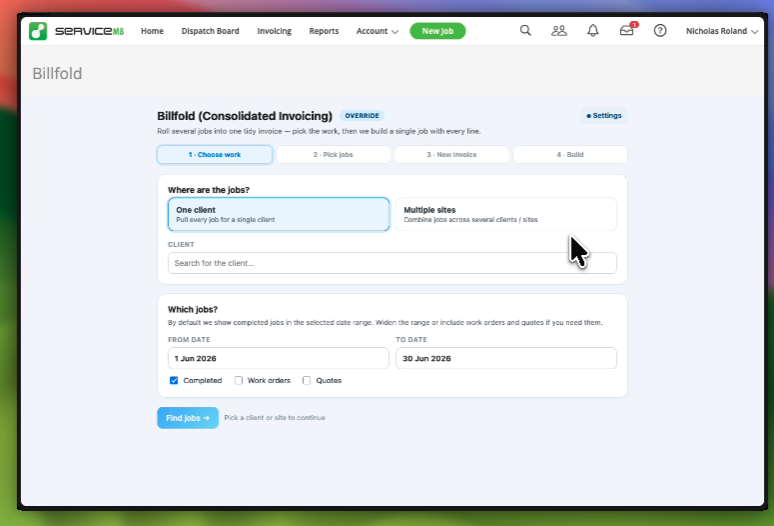
Step 1 — Choose the Work
Tell Billfold where to look. Pick a single client to pull every job in a date range, or pick multiple sites to combine jobs across several locations for the same parent client. Set the date range, decide whether to include work orders and quotes alongside completed jobs, and hit Find jobs.
- One client — every job for a single client in your date window
- Multiple sites — combine jobs across several sites of one client
- From / To date range with Completed jobs included by default
- Optional filters for Work orders and Quotes
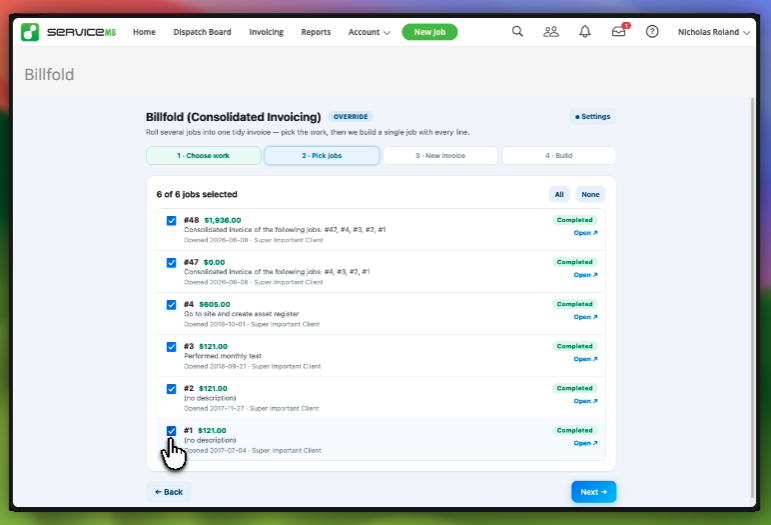
Step 2 — Pick the Jobs
Billfold loads every matching job with its number, total value, description, completion date and current status. Tick the ones you want to roll up — use the All / None shortcuts, or hand-pick. The running count tells you exactly how many jobs are about to be consolidated.
- Job number, value, description and completion date at a glance
- One-click All / None to select or clear the list
- “X of Y jobs selected” counter so you know what you’re building
- “Open” link on each row to jump back into the original job if you need a sanity check
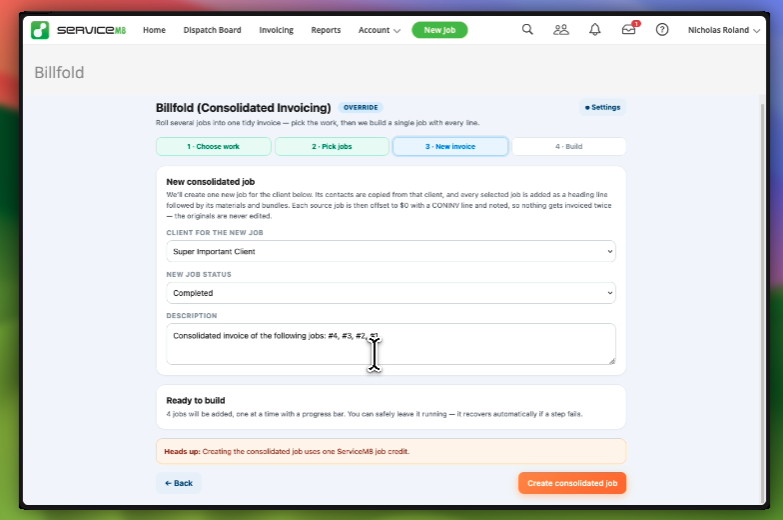
Step 3 — Set Up the New Invoice
Billfold creates one new job to hold the consolidated invoice. Pick the client it belongs to, set the starting status (usually Completed), and edit the description — the source job numbers are pre-filled for you so the customer can see exactly what’s rolled in.
- Client and contacts are copied over from the selected client
- Starting job status of your choice (Quote, Work Order, Completed…)
- Description auto-populates with “Consolidated invoice of the following jobs: #4, #3, #2, #1”
- Heads-up reminder that creating the new job uses one ServiceM8 job credit
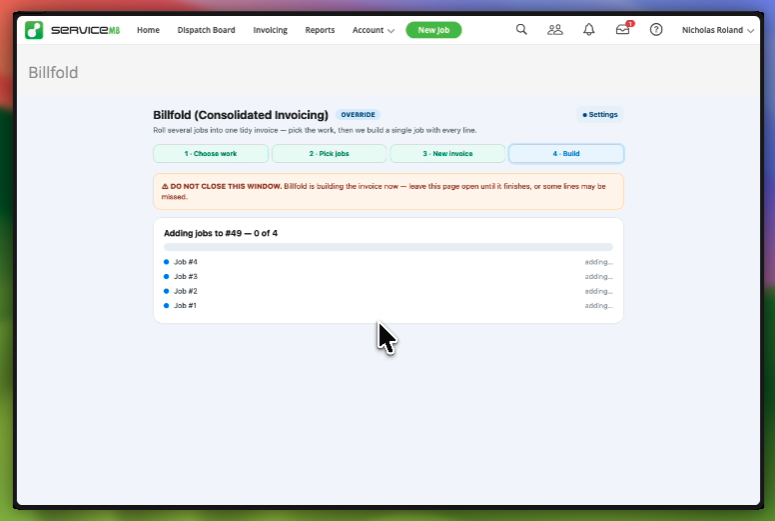
Step 4 — Watch It Build
Billfold builds the consolidated job one source job at a time, with a live progress bar. Leave the page open until it finishes — if a step ever fails, Billfold recovers automatically and picks up where it left off.
- One source job added per pass — visible progress, not a black box
- Clear “don’t close this window” warning so nothing is missed
- Automatic recovery if a single step hits a ServiceM8 hiccup
- You’re left with one tidy new job ready to invoice
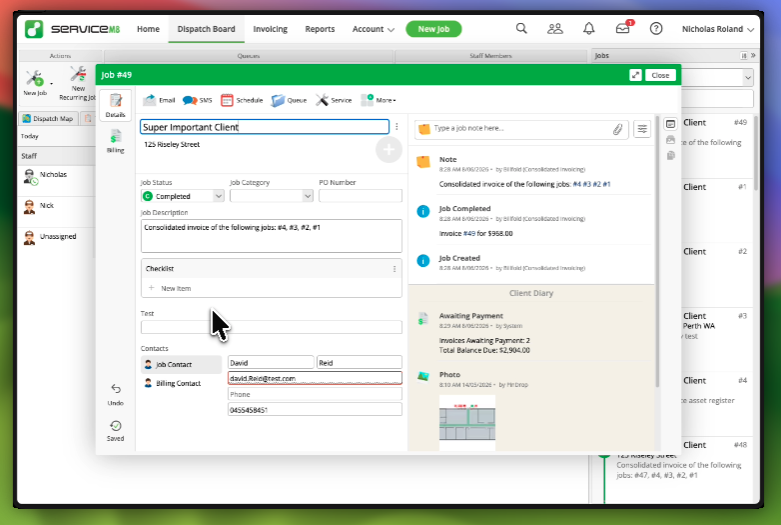
Originals Stay Intact — No Double Billing
Billfold never edits the original jobs in any meaningful way. Each source job gets a single offsetting CONINV line that zeros its total and a note pointing to the new consolidated job. Your records and history stay exactly as they were — the customer just gets one invoice instead of fifteen.
- Source jobs are offset to $0 with a CONINV tracking line
- Each source job is noted with a reference to the new consolidated job number
- Nothing gets invoiced twice — the totals all live on the new job
- Original line items, materials and bundles remain readable on the source job
Try It for 7 Days, Free
Install Billfold and you get a 7-day free trial automatically — no credit card up front. When the trial ends, billing is handled directly through Over Geek (separate from your ServiceM8 subscription).
- 7-day free trial on every new install
- $8.99 AUD / month after the trial
- Billed externally from ServiceM8 via Over Geek — no impact on your ServiceM8 plan
- Cancel anytime from the Manage billing page