
JobSplit
$8.99 AUD/monthSplit part of a job out into a brand-new job, in a few drags.
A quote becomes two stages, a client wants part of the work billed separately, or a variation needs its own job. Open the job, click JobSplit and drag across the line items, part quantities and description text you want to move. The new job starts with the same client, site, address, category and contacts. Nothing changes until you confirm, and both jobs get a diary entry linking them.
See It in Action
Drag a few lines and part of the description from job #1042 onto a new job, check the preview, and confirm. JobSplit creates the job, moves the items and links the two jobs in the diary.
- Runs from the job card in ServiceM8
- Drag and drop, with no retyping
- Preview everything before anything changes
- Both jobs linked in the diary
Drag Across What You Want to Move
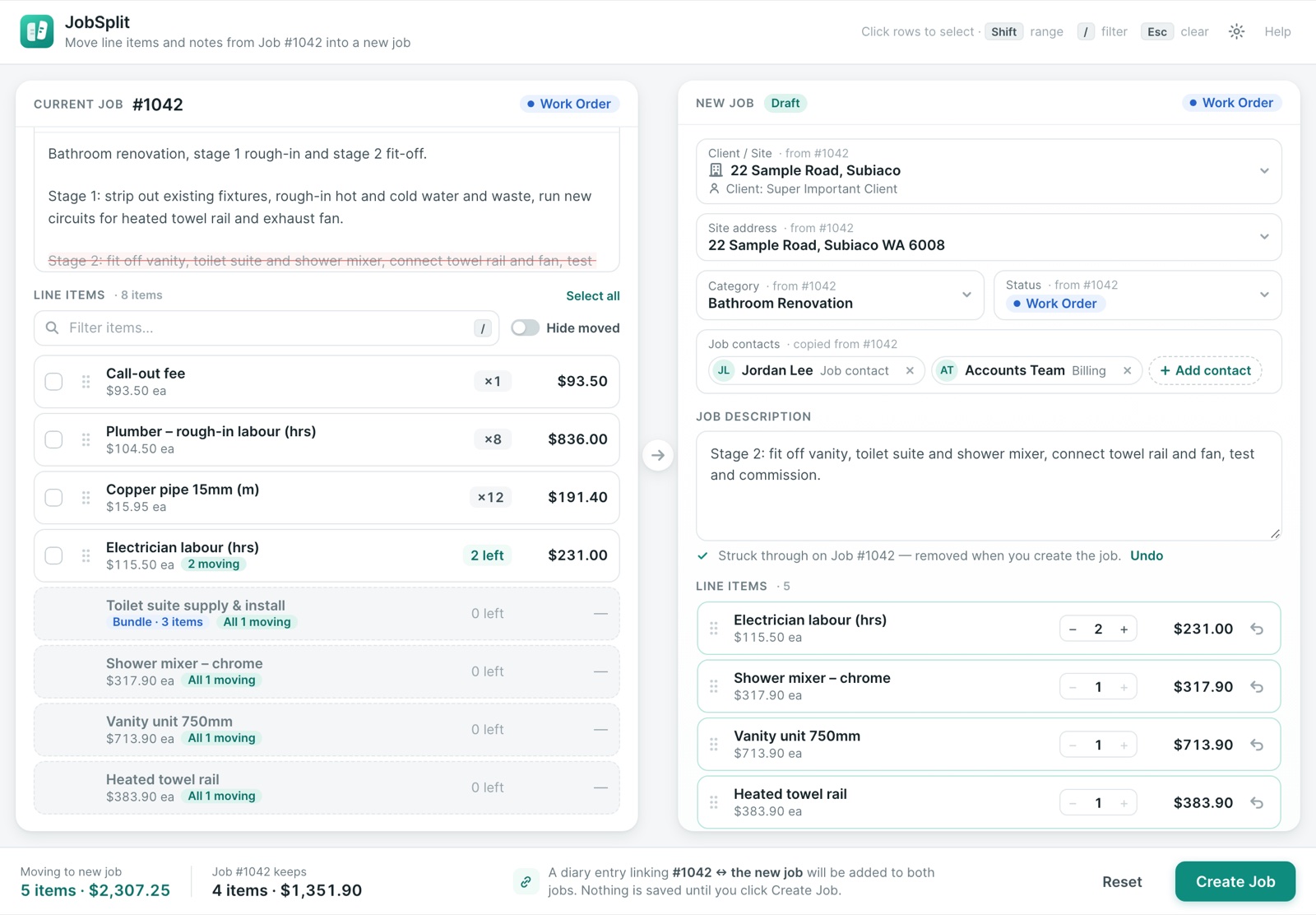
The original job is on the left and the new job is on the right. Drag whole line items, or move just part of a quantity: take 2 of 4 hours and the other 2 stay on the original. Highlight part of the job description and drag that across too.
- Whole lines or part of a quantity
- Bundles move whole, with all their items
- Drag the whole description or just a highlighted part
- Running totals for what moves and what the original keeps
Move Several Lines at Once
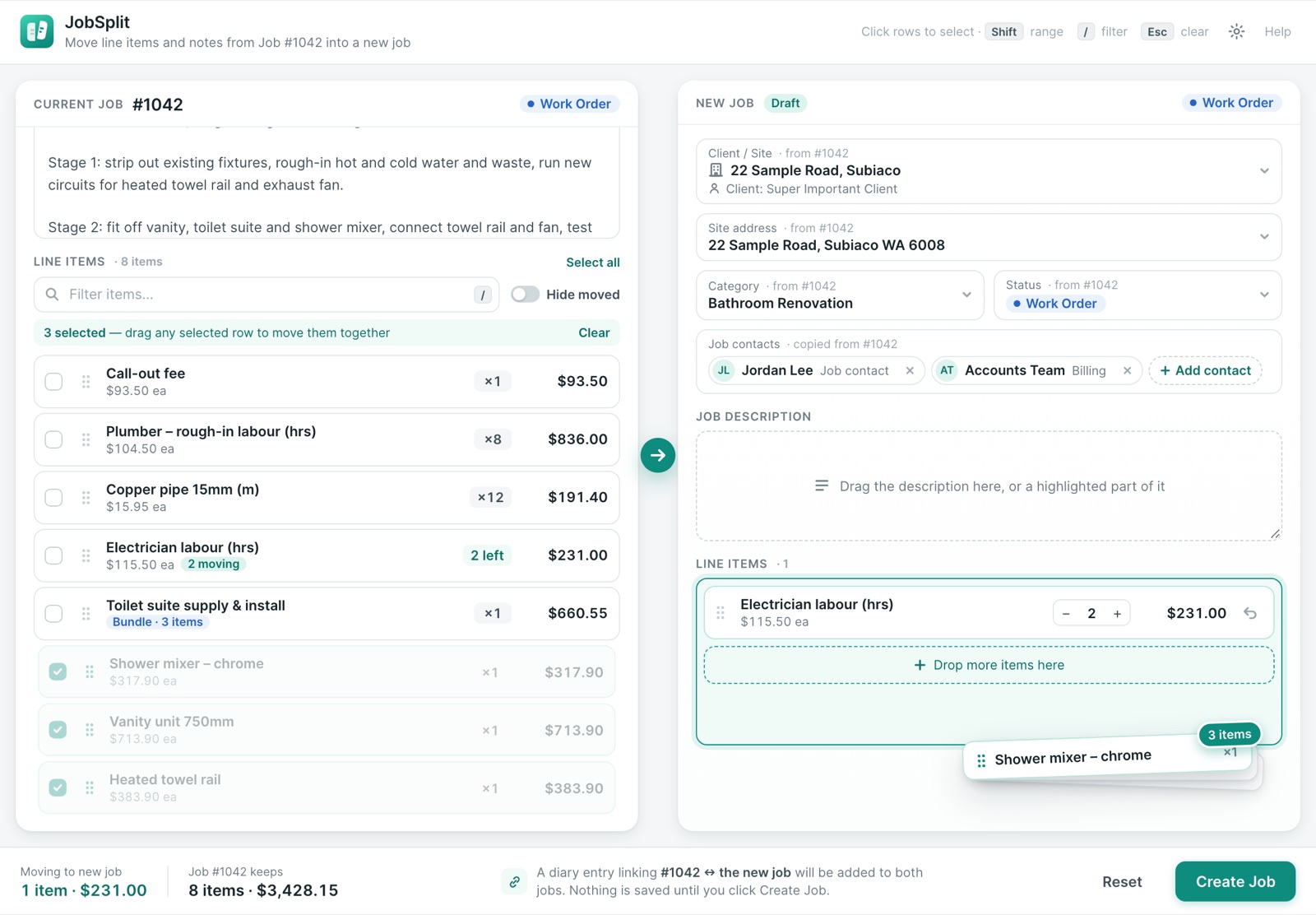
Click rows to select them, hold Shift to select a range, then drag any selected row to move them all together. On a long job, press / to filter the lines and find what you need fast.
- Multi-select with click and Shift
- Filter long lists of line items
- Undo any line before you create the job
- Optionally hide lines once they’ve fully moved
Same Client, or a Different One
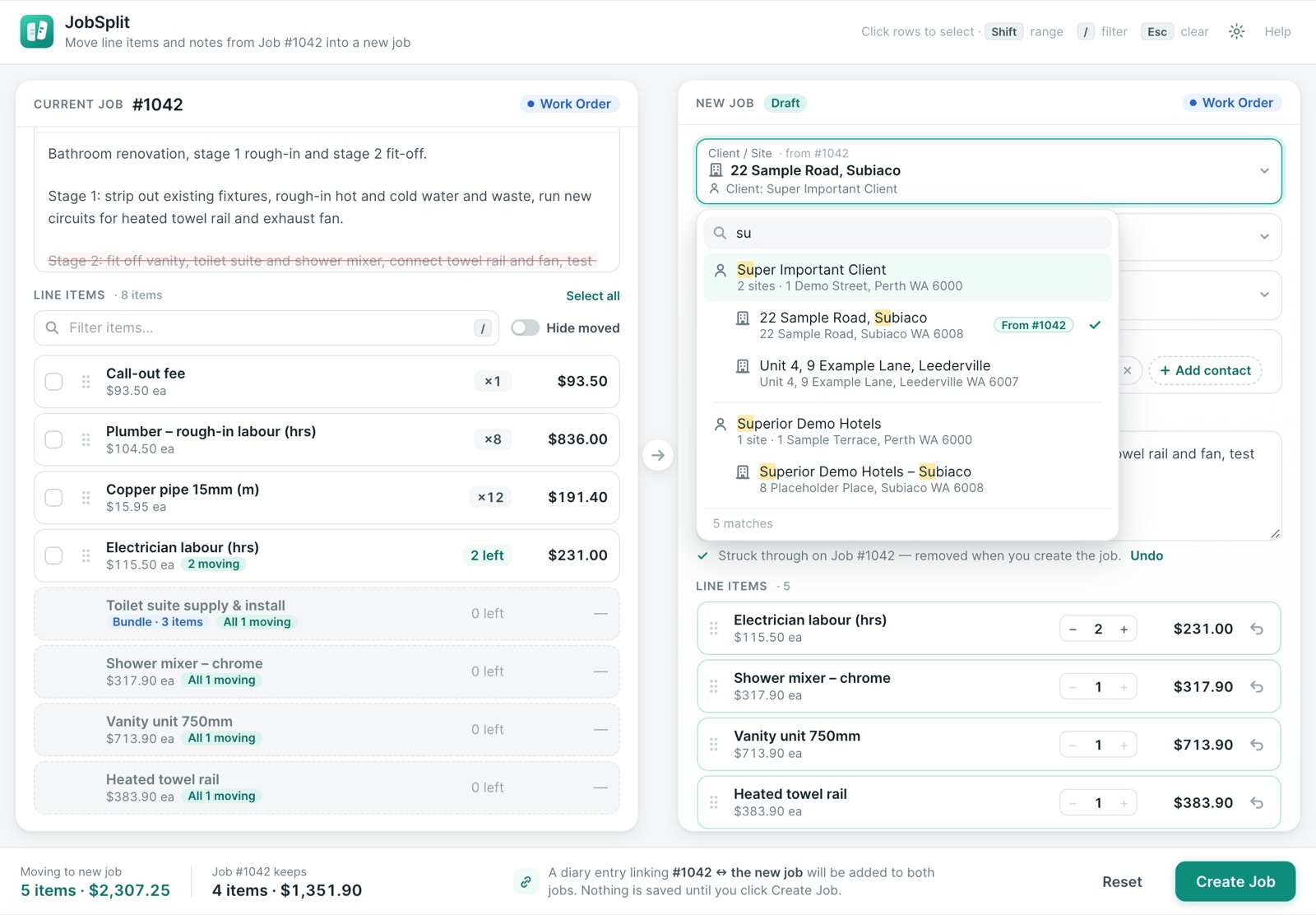
The new job starts with the original’s client or site, site address, category, status and job contacts, each marked “from #1042”. Change any of them before you create it. Need it under the parent client or another site? Search your full client and site list, even with thousands of clients.
- Client, site, address, category and status prefilled
- Job contacts copied across, with any you don’t want removed
- Fast search across clients and sites
Check Before Anything Changes
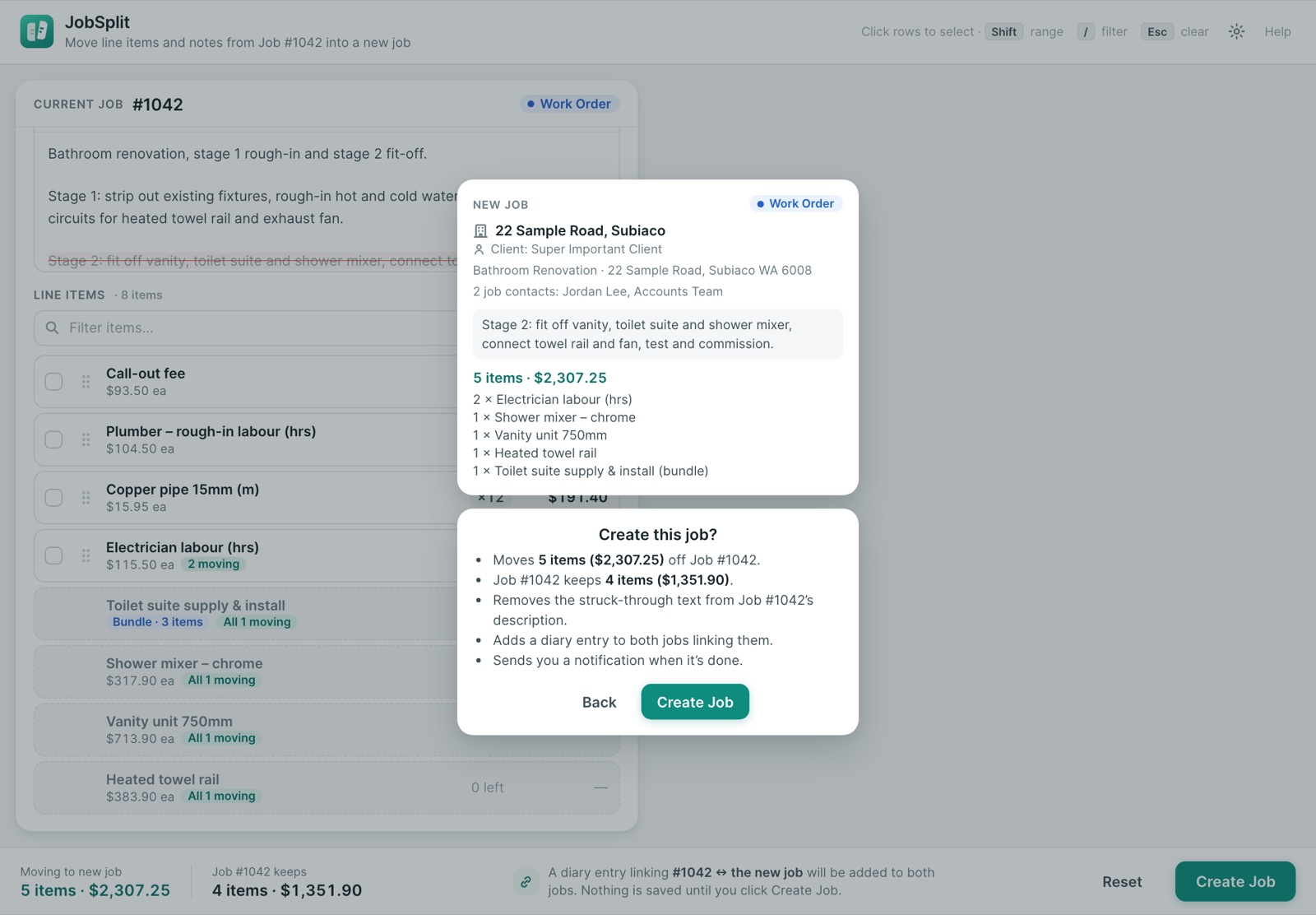
Click Create Job and JobSplit shows a preview of the new job alongside a plain summary of what happens to the original: what moves, what it keeps, and whether any description text is removed. Nothing is written to ServiceM8 until you confirm.
- Preview card of the new job
- Exactly what the original job keeps
- Back out at any point before you confirm
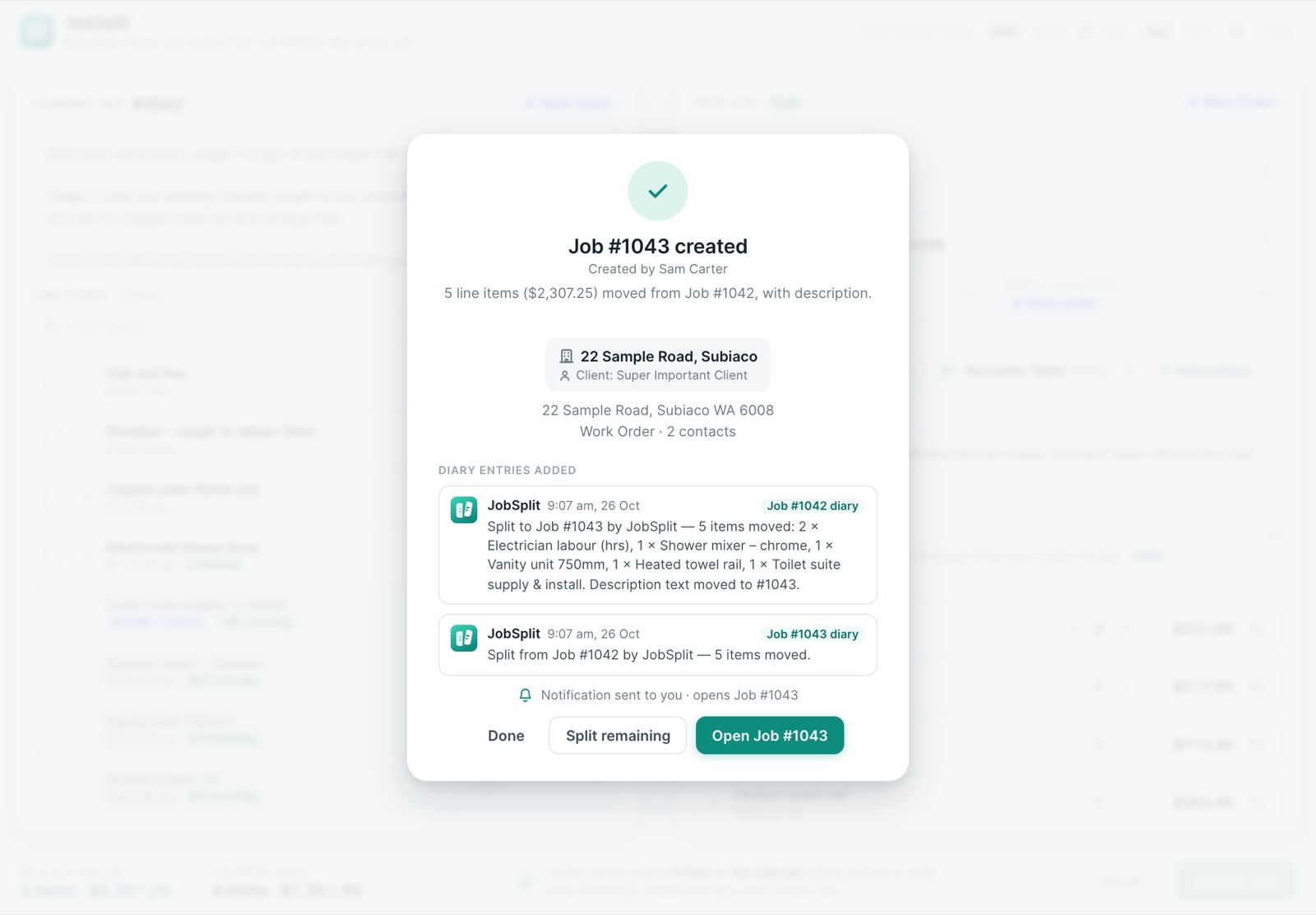
A Clear Paper Trail
Both jobs get a diary entry linking them by job number, and the original’s entry lists everything that moved. You can also get a ServiceM8 notification that opens the new job. Got more to move? Split remaining reopens JobSplit on the original with whatever is left.
- Diary entries on both jobs
- Optional notification that opens the new job
- Split remaining for multi-stage jobs
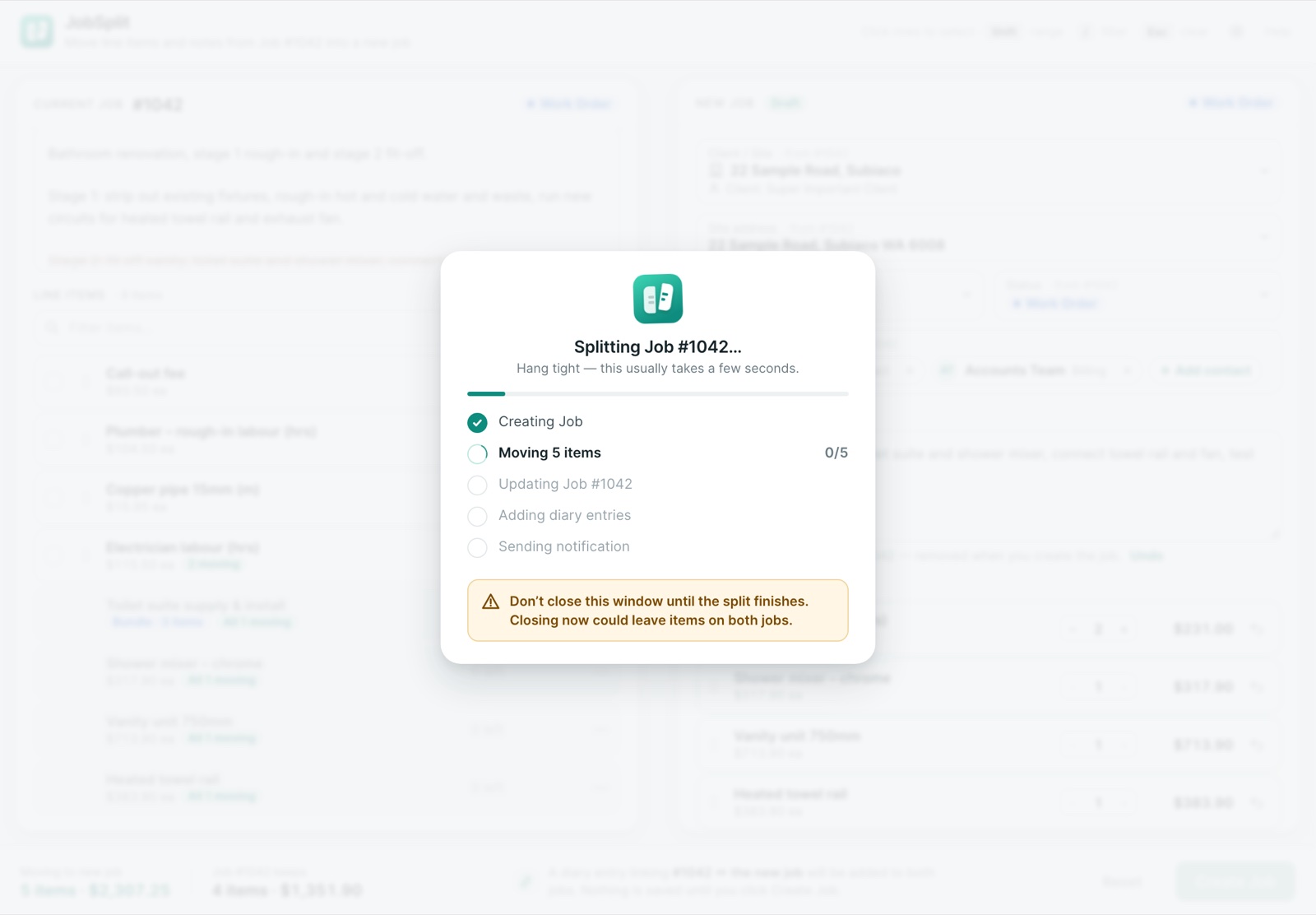
Safe by Design
Each line is copied to the new job before it’s reduced on the original, so if anything is interrupted an item can end up on both jobs, never on neither. If someone else edits the job while you’re splitting it, JobSplit skips the changed lines and tells you instead of overwriting their work.
- Copy first, reduce second
- Never moves a line twice, even on a retry
- Step-by-step progress while it runs
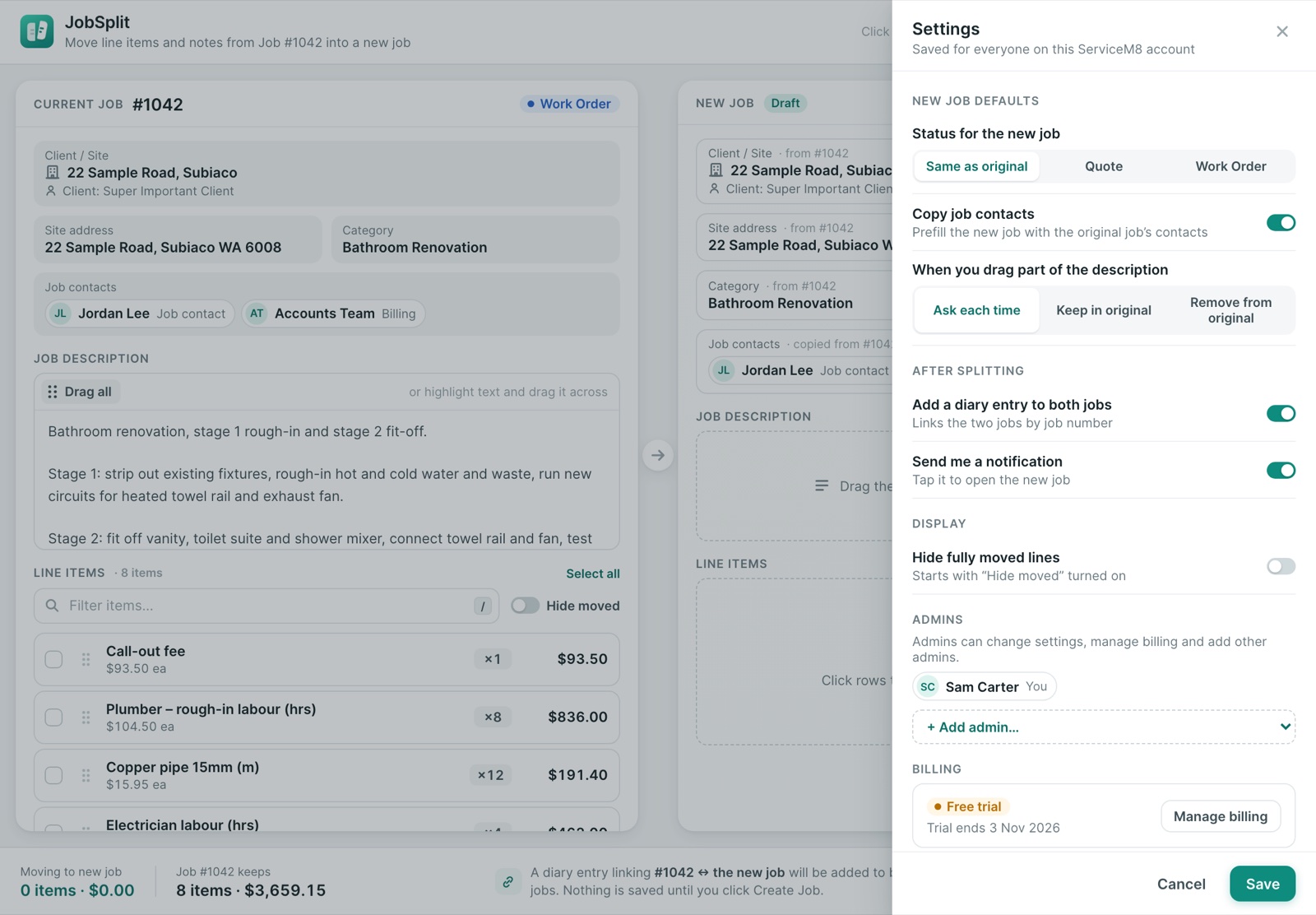
Settings That Fit How You Work
Admins choose how JobSplit behaves for everyone on the account. The first person to open JobSplit becomes its admin and can add others. Everyone else can split jobs but can’t change the settings.
- New job status: same as the original, Quote or Work Order
- Copy job contacts on or off
- Moved description text: ask, keep or remove from the original
- Diary entries and notifications on or off
$8.99 AUD/month per ServiceM8 company after a 14-day free trial, billed externally from ServiceM8 via Over Geek.