SpotCheck
$9.99 AUD/monthMake sure recurring staff checks actually get done.
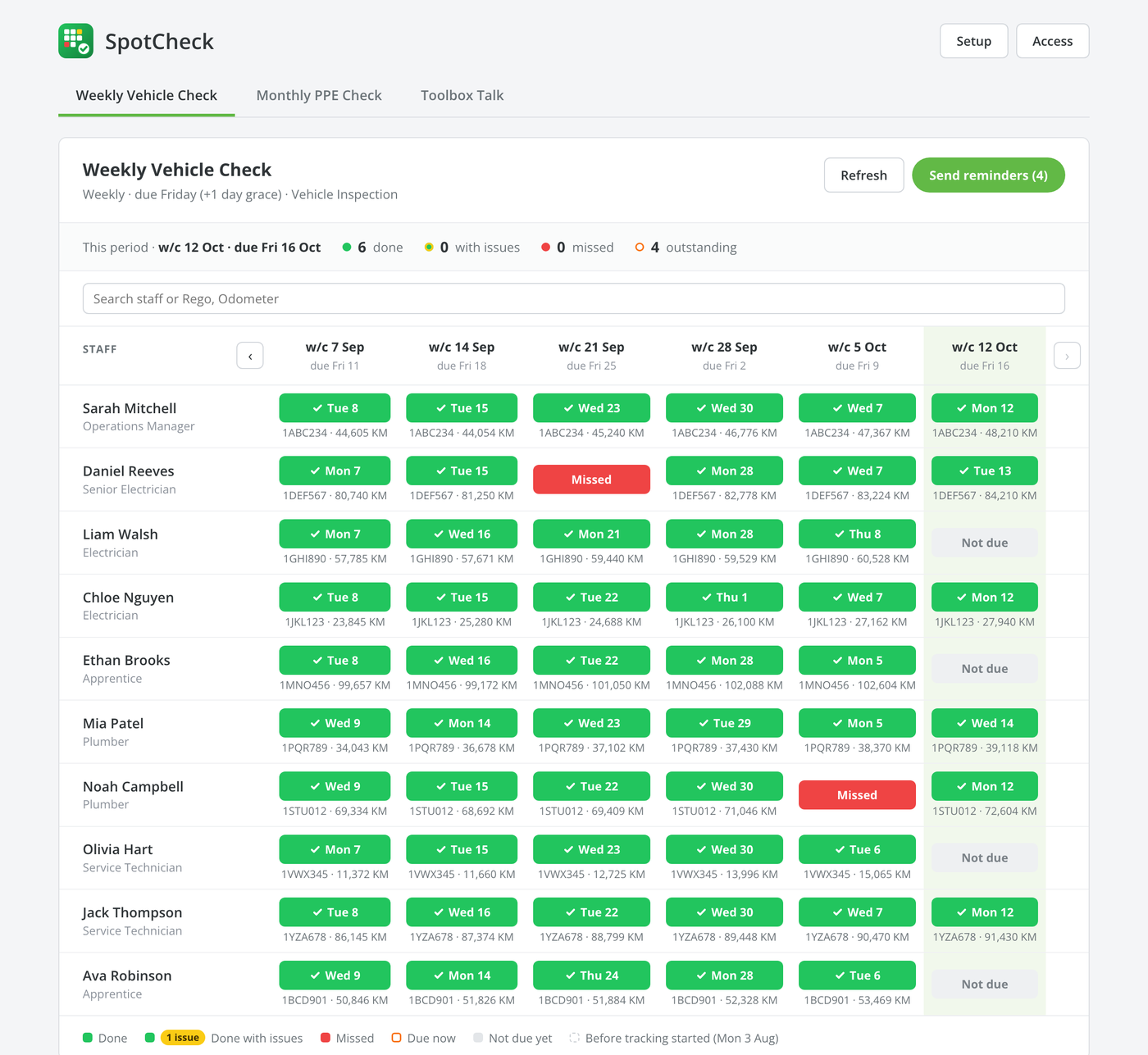
Pick any ServiceM8 form, such as a vehicle check, PPE check or toolbox talk, and set how often it’s due. SpotCheck shows every staff member against every week on a traffic-light grid: green for done, red for missed. Reminders go out for you, and you can open any submission to see the answers, the failed items and the photos.
See It in Action
A quick walkthrough: set up a weekly vehicle check, see who’s done it, send reminders to anyone outstanding, and open a submission to review the failed items and photos.
- Works with the ServiceM8 forms you already use
- See who has and hasn’t done each check
- One click reminds everyone outstanding
- Review answers and photos without leaving the grid
Who’s Done It, at a Glance
Every staff member, every week. Green means done, red means missed, and grey means not due yet. The current week is highlighted, so you can see who’s still outstanding before the deadline. Page back through earlier weeks to see each person’s track record.
- Daily, weekly, fortnightly, monthly, every 2 or 6 months, or yearly
- Grace days before a check counts as missed
- Show key answers on the grid, such as rego and odometer, and search them
- Run as many spotchecks as you like, each on its own tab
Reminders That Send Themselves
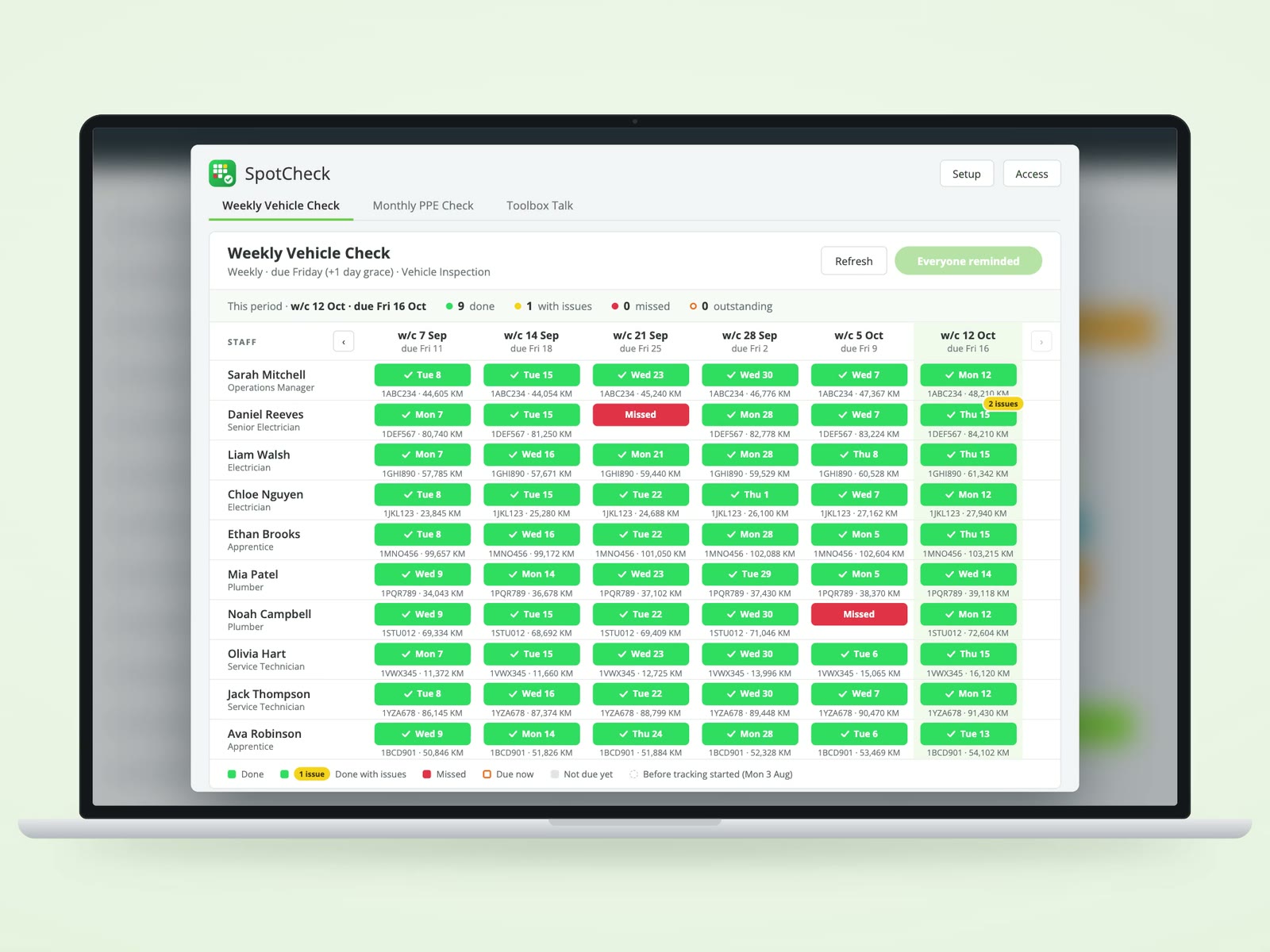
On the due day, anyone who hasn’t done their check gets a ServiceM8 notification telling them how to fill it in. Need to chase someone sooner? Send reminders nudges everyone outstanding in one click, or you can remind one person from their cell.
- Automatic notification on the due day
- Manual reminders for everyone, or for one person
- The grid shows who has already been reminded
Spot the Problems, Not Just the Ticks
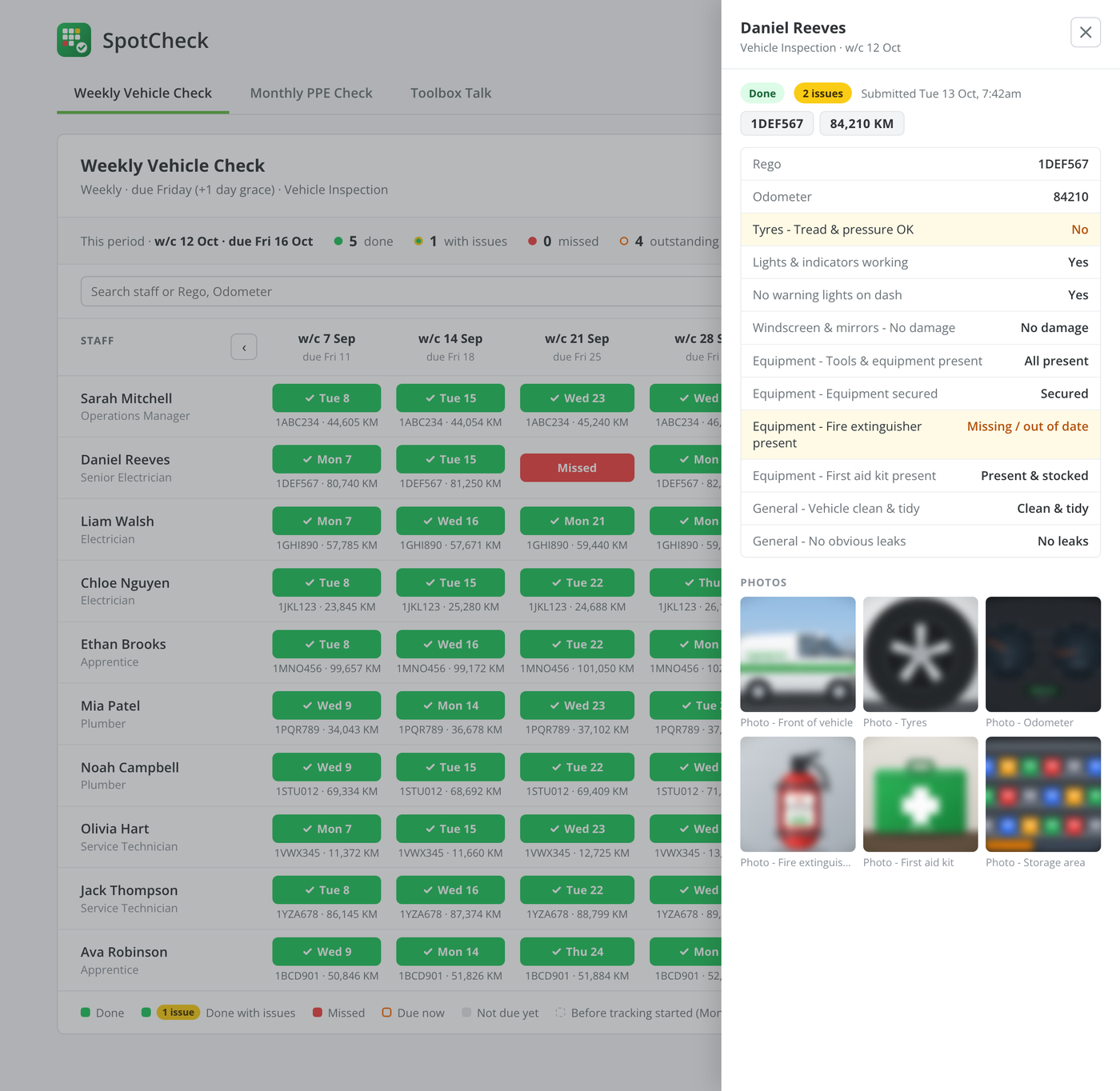
Choose which answers count as a fail, such as worn tyres or a missing fire extinguisher. Checks with failed answers still show green, but with a yellow “2 issues” badge so they stand out. Click any check to see the full submission with the failed answers highlighted. Open any photo full screen and zoom in close.
- Mark failed answers per form field
- Issue alerts notify the people you choose as soon as a failed check comes in
- Full-screen photo viewer with zoom and next/previous
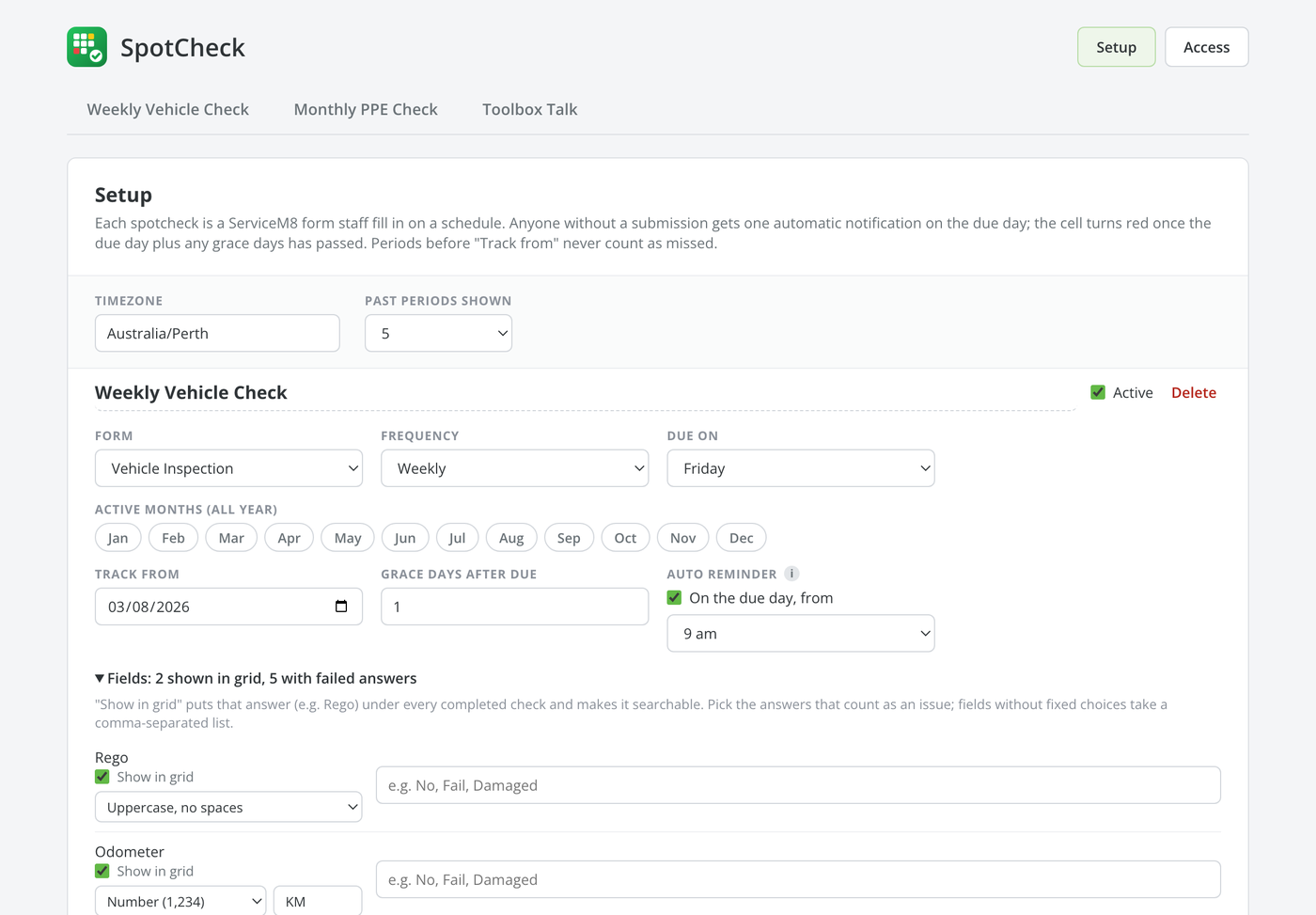
Set Up in Minutes
Pick the form, choose how often it’s due, and you’re done. Every active staff member is included automatically, and new staff are added as they join. You can leave anyone out. Seasonal checks can be limited to the months that matter, such as a heat-stress check over summer.
- Uses your existing ServiceM8 forms; nothing to rebuild
- New staff added automatically, or left out until you tick them
- Active months for seasonal checks
- Earlier weeks never count as missed: tracking starts the day you set it up
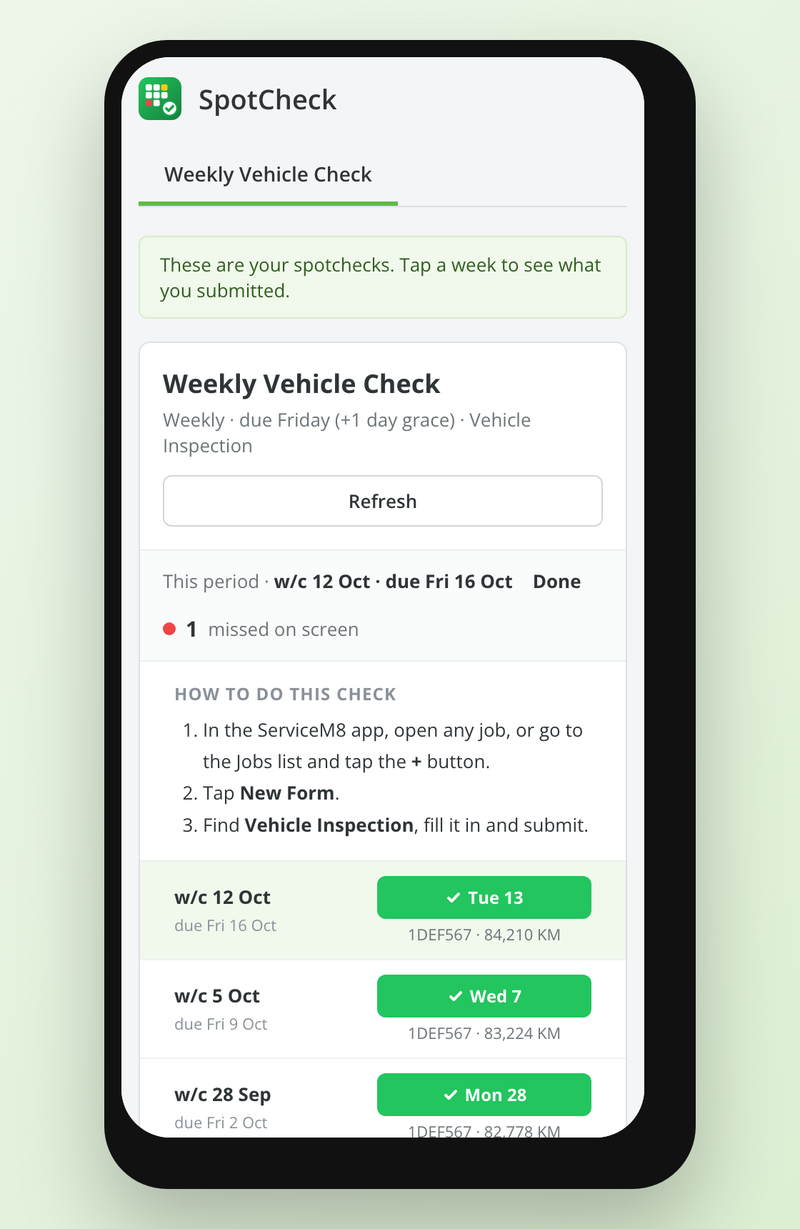
Everyone Sees What They Need
The first person to open SpotCheck becomes its admin and decides who else can see the grid. Everyone else gets My checks: their own weeks, anything they’ve missed, and simple steps for filling the form in. It works on desktop and in the ServiceM8 mobile app.
- Admin, Access and staff-only views
- Staff see only their own checks
- Desktop and ServiceM8 mobile app
$9.99 AUD/month per ServiceM8 company, billed externally from ServiceM8 via Over Geek.