
Job Radar
Free · On the ServiceM8 Add-on StoreSee nearby jobs from any job card. Batch visits, fill gaps in your day.
Job Radar adds a proximity search to your job cards. With one click, see every active work order at the current site and nearby locations — helping your team coordinate visits, avoid double-ups, and spot opportunities to batch nearby jobs together. Works on desktop and the ServiceM8 mobile app.
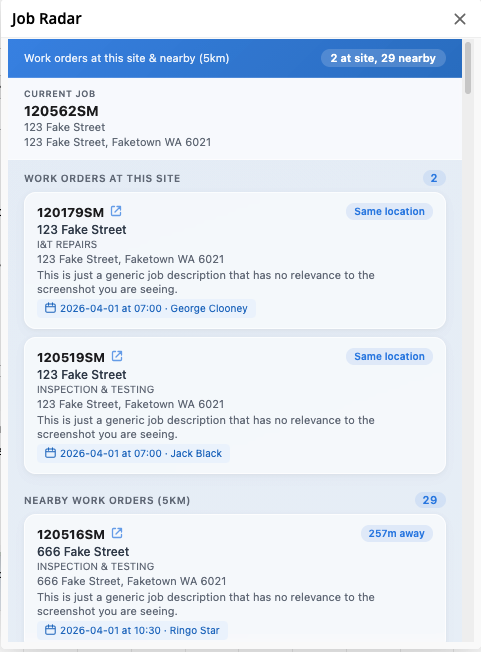
Live On-Site Activity & Upcoming Bookings
See who's currently on-site at the current job's location with a live pulsing indicator and staff name. Upcoming bookings for that site show date, time, and assigned staff.
- Live pulse for staff currently on-site
- Upcoming visits with date, time and assignee
- No more 'who's there right now?' radio calls
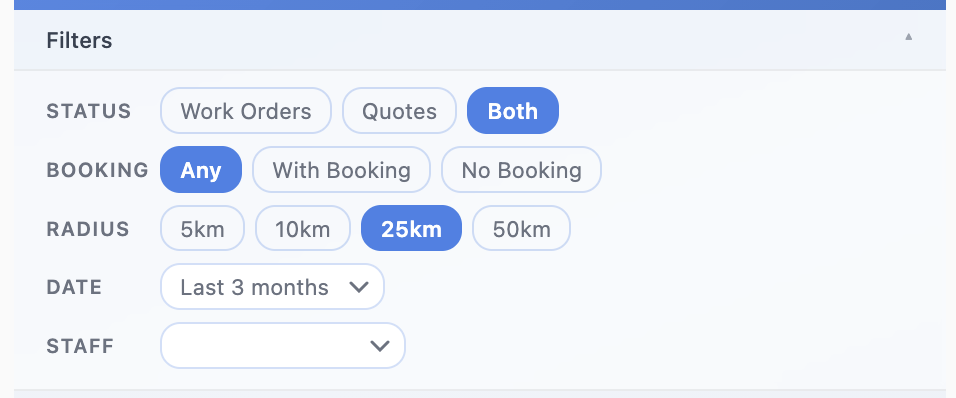
Filter Down to What Matters
Narrow nearby jobs by status (work orders or quotes), booking state, radius (5km to 50km), date range, and assigned staff. Combine filters to spot batching opportunities or zero in on a specific job.
- Status filter: Work Orders / Quotes / Both
- Booking filter: Any / With Booking / No Booking
- Radius: 5km, 10km, 25km, 50km
- Date range and staff filters
- All filters update the list instantly
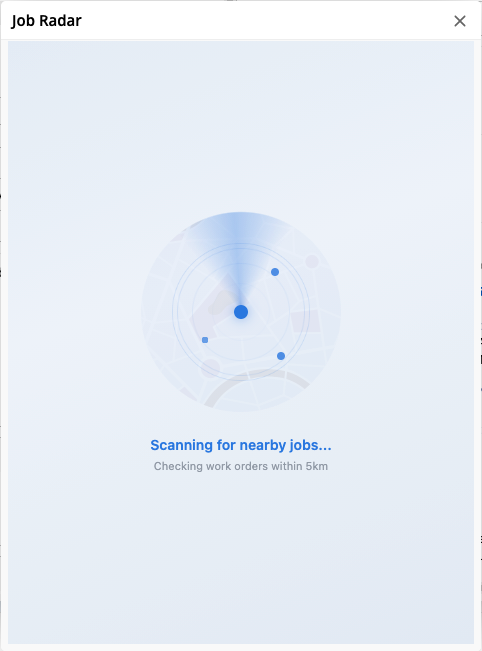
See Every Nearby Job
Open Job Radar from any job and see every active work order and quote at the current site and nearby, sorted by distance. Spot batching opportunities, fill gaps in your day, and avoid double-trips.
- Work orders + quotes at this site
- Plus other active jobs nearby
- Sorted by distance
- Status tag on every entry
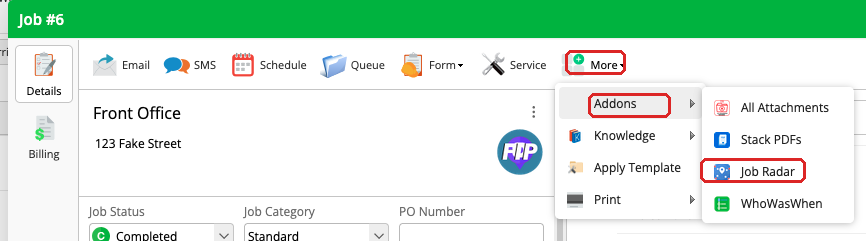
Opens from Any Job Card
Find it under More → Add-ons → Job Radar on any job. Works on desktop and the ServiceM8 mobile app.
- Opens as a modal on the job card
- Works on desktop and mobile
- Free — available now on the ServiceM8 Add-on Store