Rebundle
Free in Beta · $2.99/mo on launchTurn the line items already on a ServiceM8 job into a reusable Material Bundle.
Rebundle lives right on the job card. Tick the materials and labour items you already have on a job, name the bundle, and Rebundle saves it straight to your Materials list. Perfect for turning a finished job into a ready-to-use bundle so the next quote is one click instead of ten.
See It in Action
A quick walkthrough showing how Rebundle picks line items off an existing job and turns them into a reusable Material Bundle in your ServiceM8 Materials library.
- Runs from any job card
- Two screens, two clicks to bundle
- Live cost / sell / markup totals
- Bundle saved straight to Materials and attached to the job
Pick the Items You Want
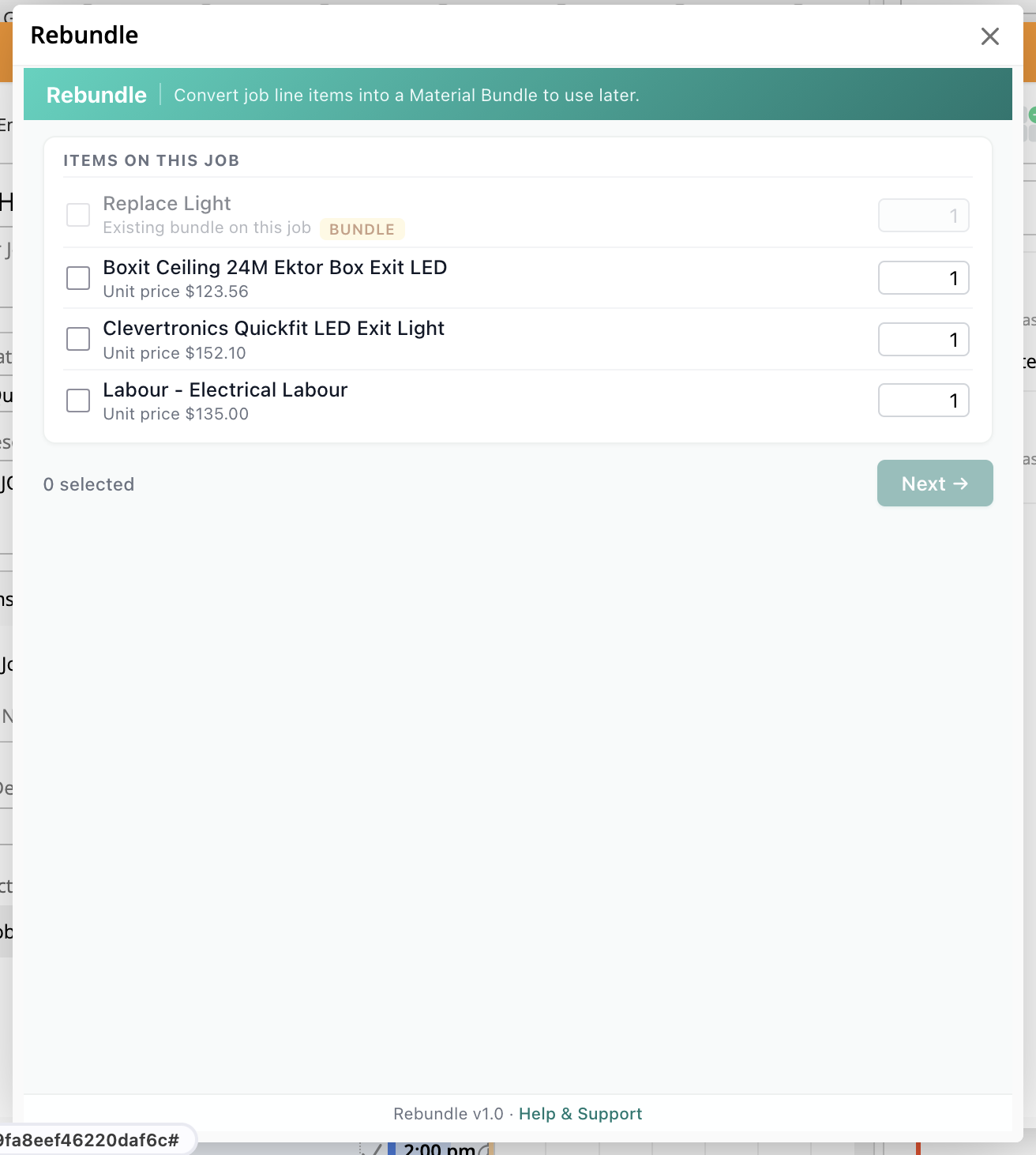
Open Rebundle from any job and see every line item already on the job. Tick the ones to roll into your new bundle. Adjust quantities on the fly. Items already in an existing bundle are flagged so you don't duplicate.
- Opens straight from the job card (modal)
- Shows every line item with unit price
- Existing bundle items are flagged
- Adjust quantity per item before bundling
Name It & Save It
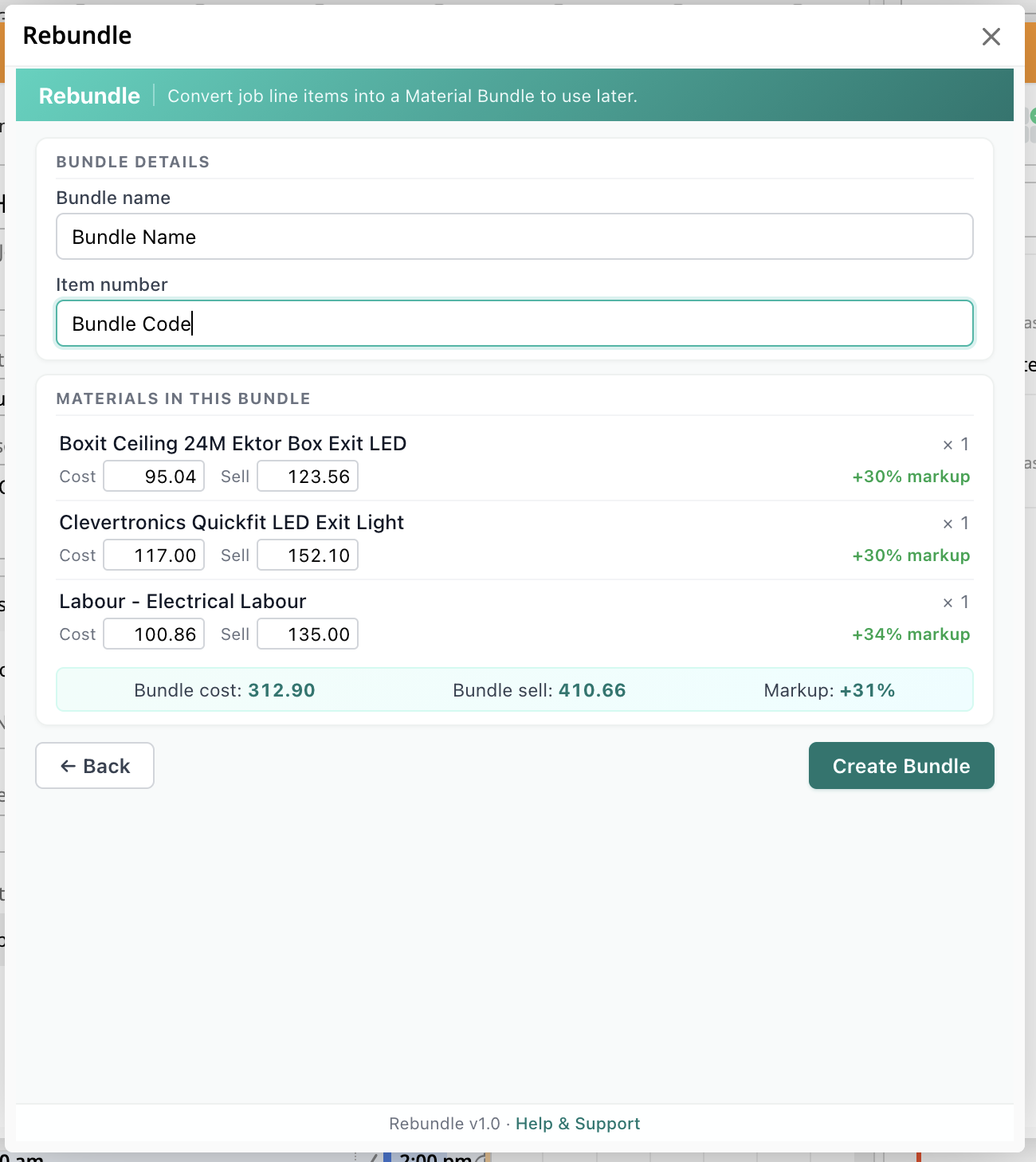
Give the bundle a name and item number, and Rebundle shows you the cost, sell, and markup breakdown before you commit. Hit Create Bundle and it lands in your ServiceM8 Materials list, ready to drop on the next quote or job.
- Bundle name and item number
- Live cost, sell, and markup % per item
- Total bundle cost, sell, and markup summary
- Saved straight to your ServiceM8 Materials