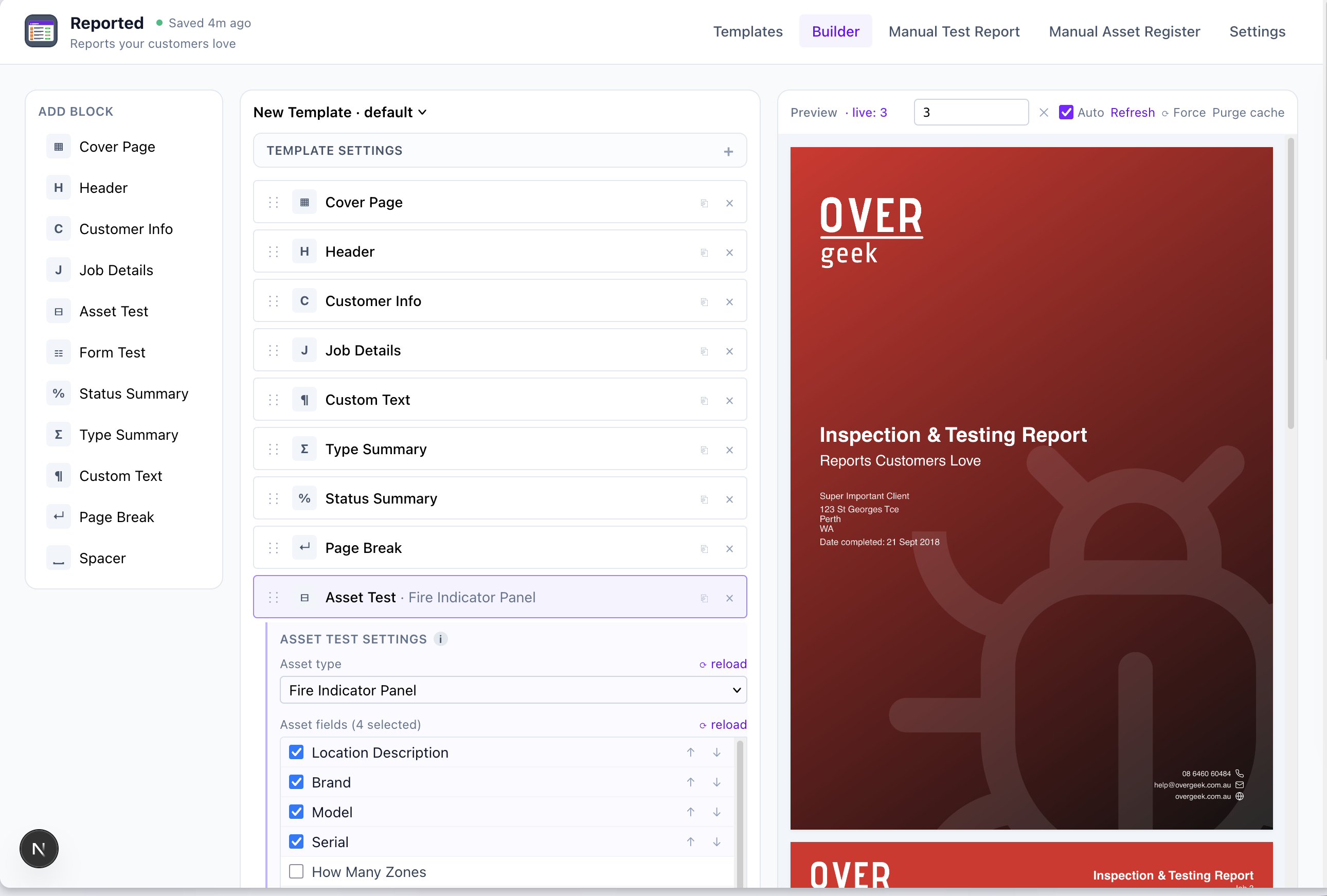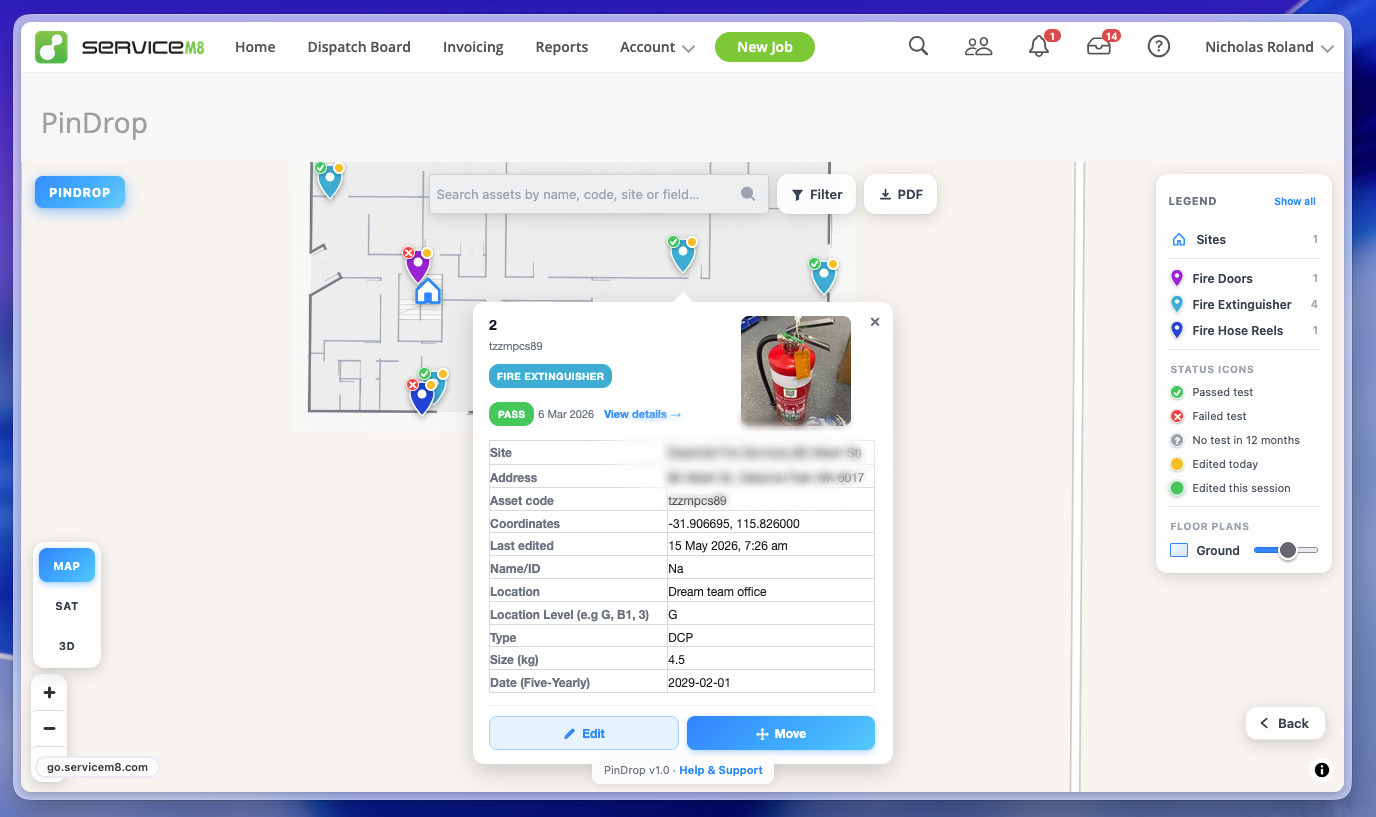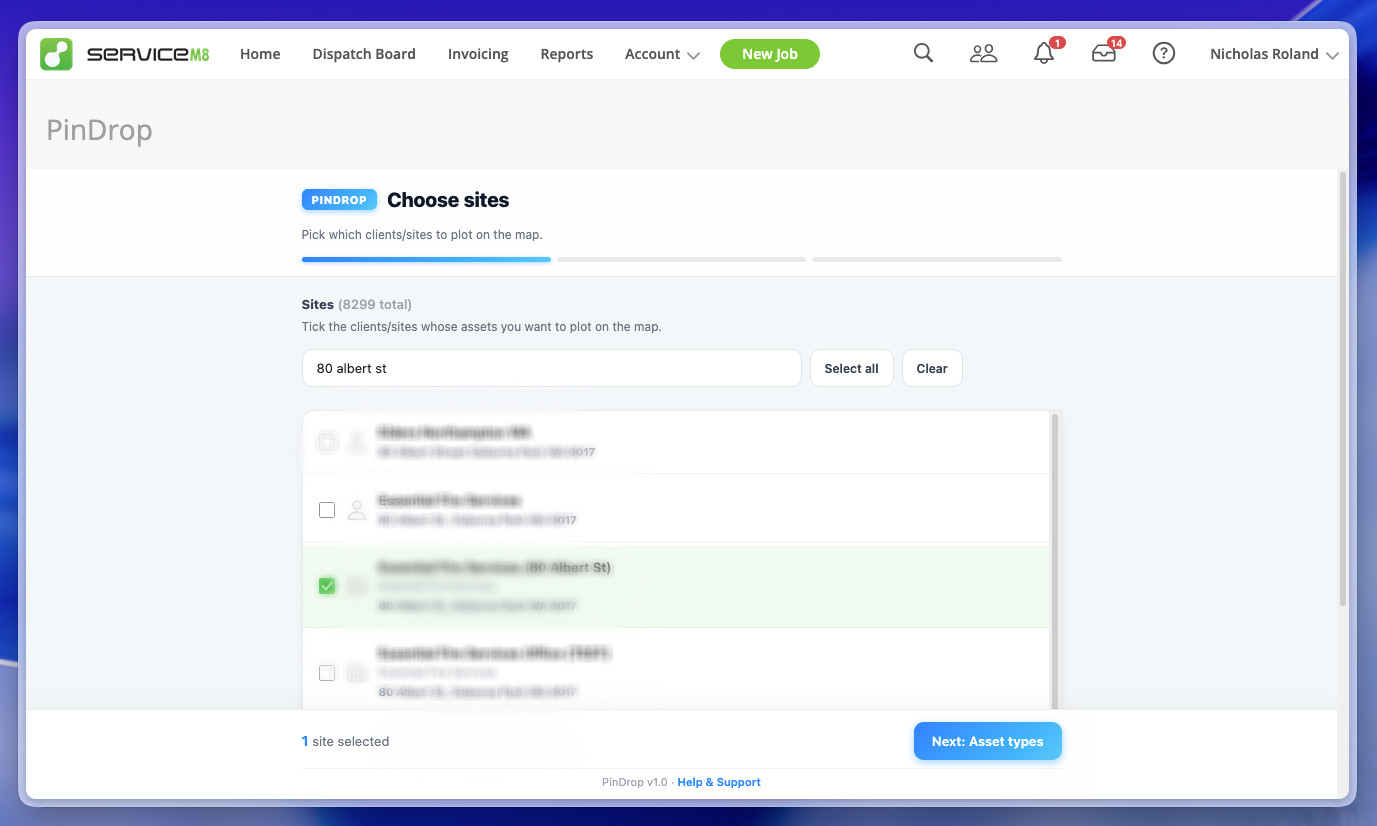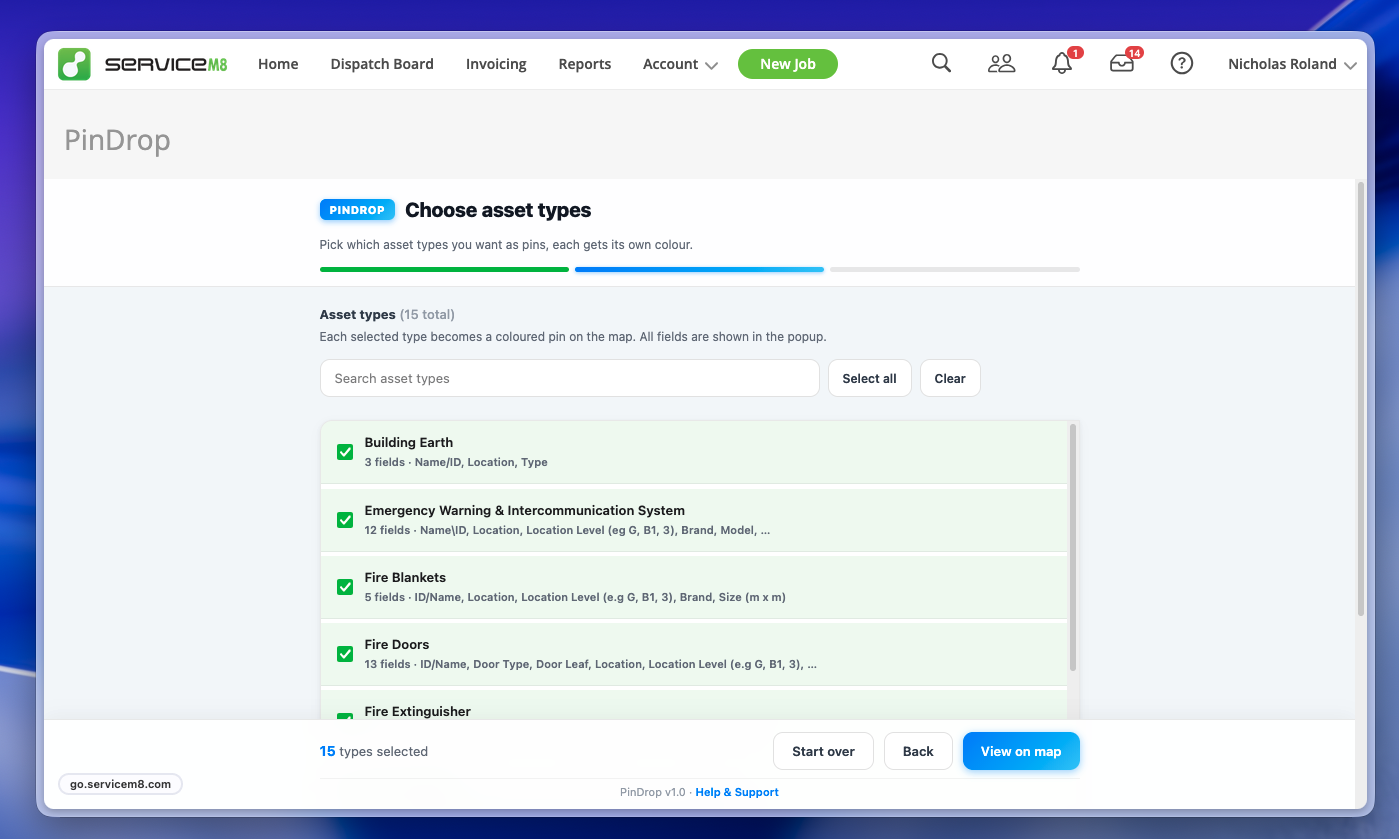

ServiceM8
ServiceM8 Addons
Custom addons and integrations for ServiceM8 to help streamline your field service business.
ServiceM8® is a registered trademark of ServiceM8 Pty Ltd. Over Geek is an independent third-party developer and is not affiliated with or endorsed by ServiceM8.
Need something custom built?
If you've got a workflow that needs automating or an idea for a custom ServiceM8 integration, reach out and let's have a chat.
OG Portal
A client portal for ServiceM8. Give your customers direct access to the information that matters.
OG Portal bridges the gap between your ServiceM8 account and your clients. Instead of fielding calls and emails for job updates, asset reports or upcoming visit details, give your customers a branded, self-service portal where they can find everything themselves.
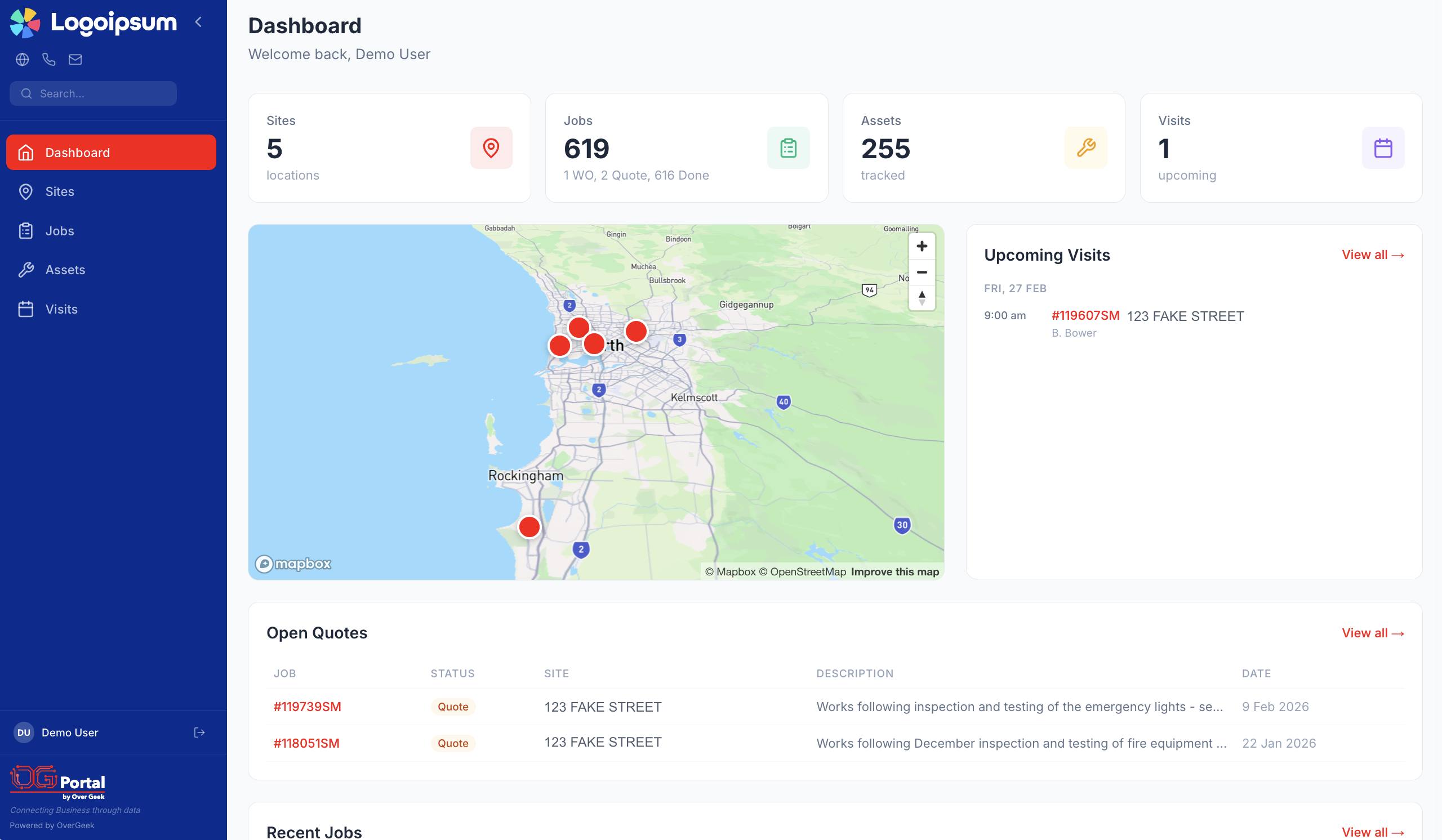
Dashboard Overview
Clients see their sites, jobs, assets and upcoming visits at a glance, complete with an interactive map of all their locations.
- Site, job, asset and visit counts
- Interactive map with job pins
- Open quotes and recent jobs
- Upcoming visit schedule
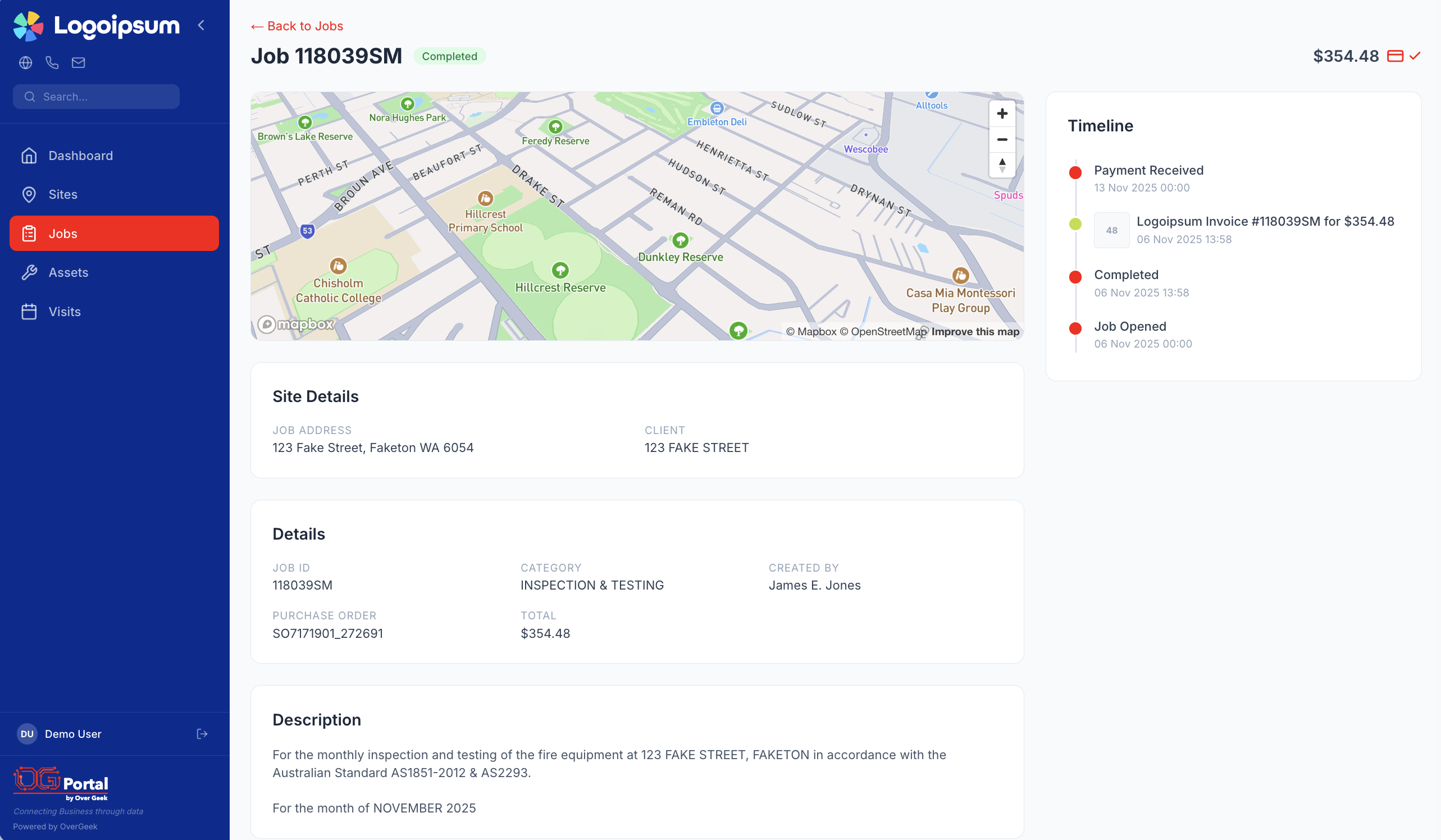
Jobs & Quotes
Full job history with statuses, descriptions, timelines and attachments. Open quotes are surfaced front and centre so nothing slips through the cracks.
- Complete job timeline with status updates
- Site details and job descriptions
- Invoice and payment tracking
- File and photo attachments
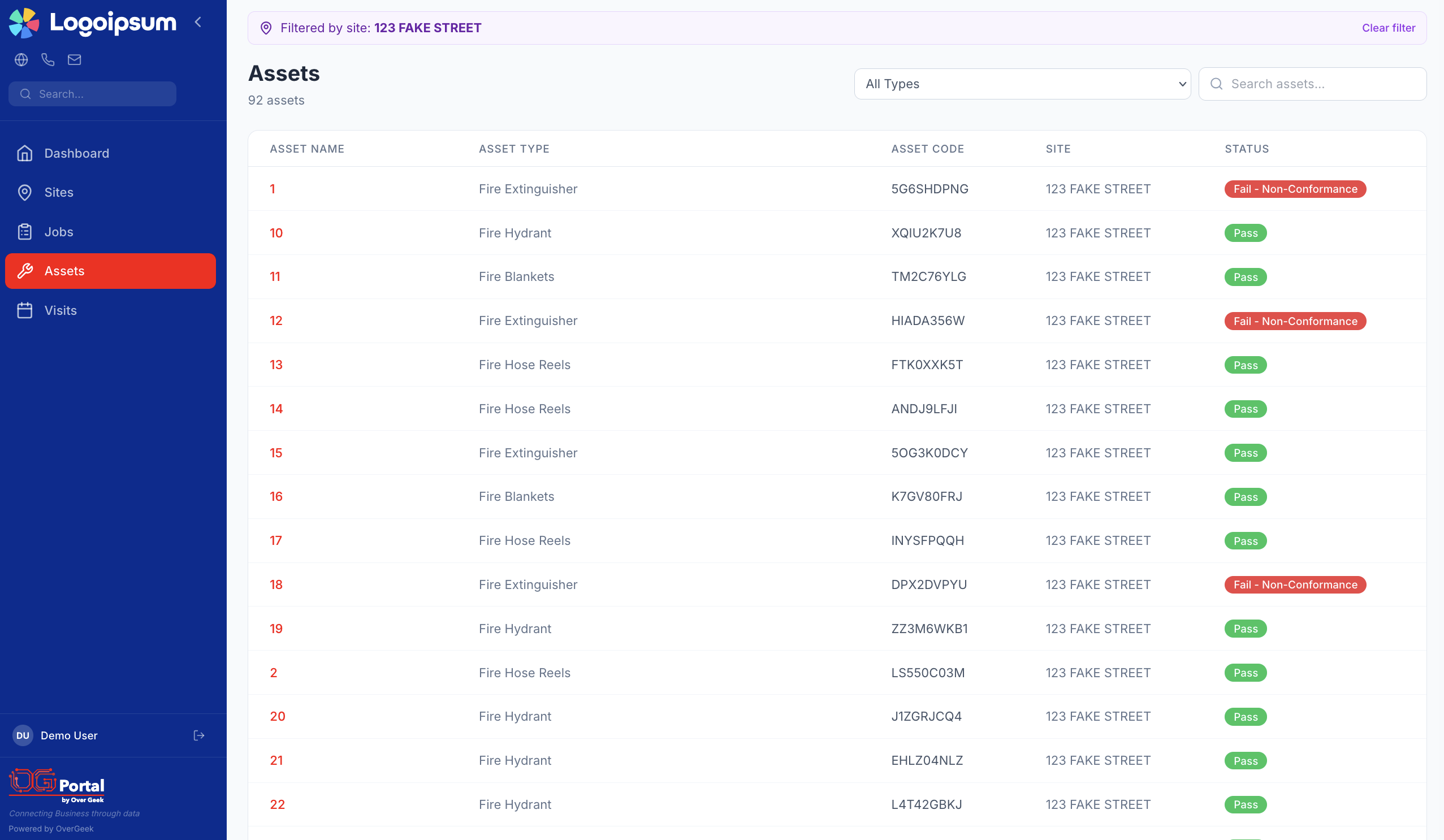
Assets & Compliance
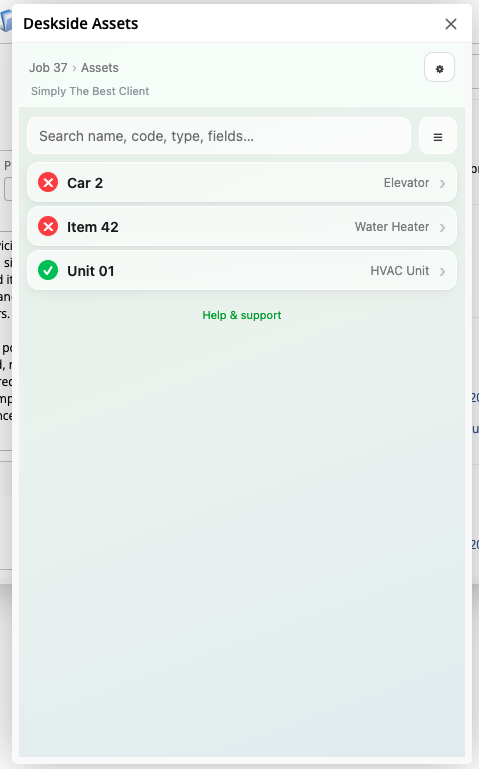
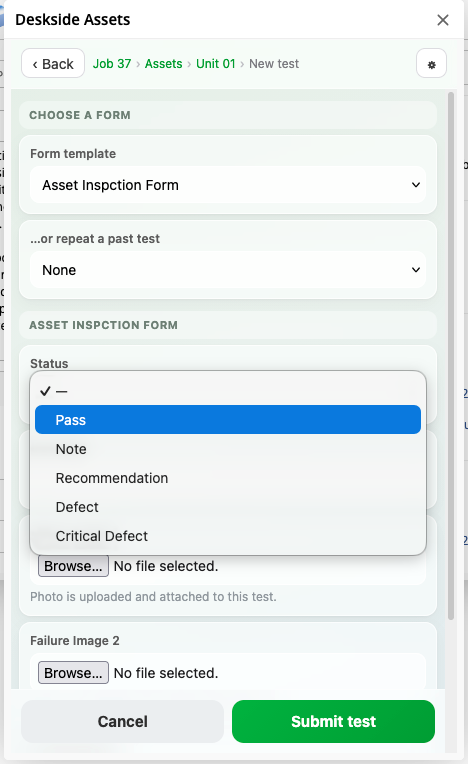
Track every asset with test history, pass/fail status and form results. Perfect for fire safety, compliance and maintenance industries.
- Full asset register per site
- Clear pass/fail compliance indicators
- Search and filter by type or status
- Exportable records for audits
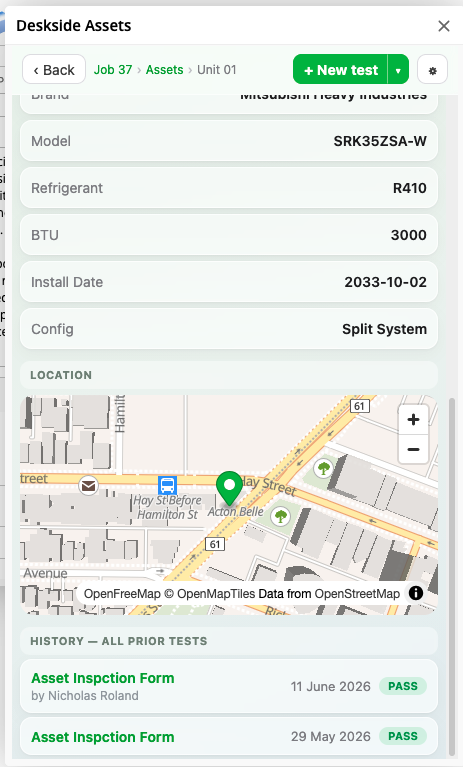
Asset Detail & Test History
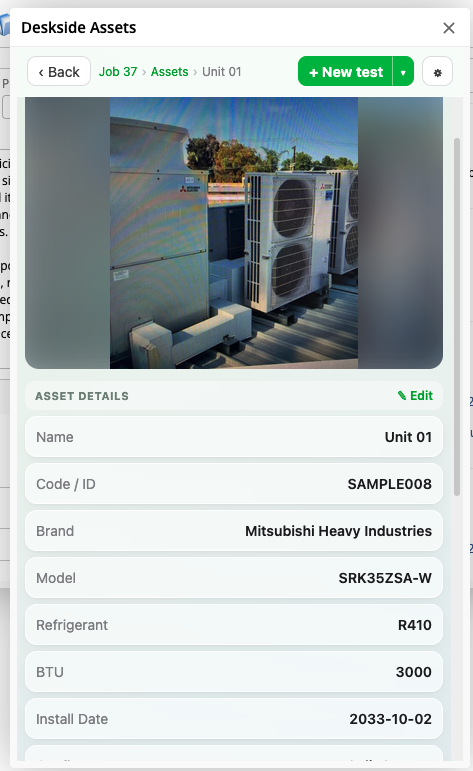
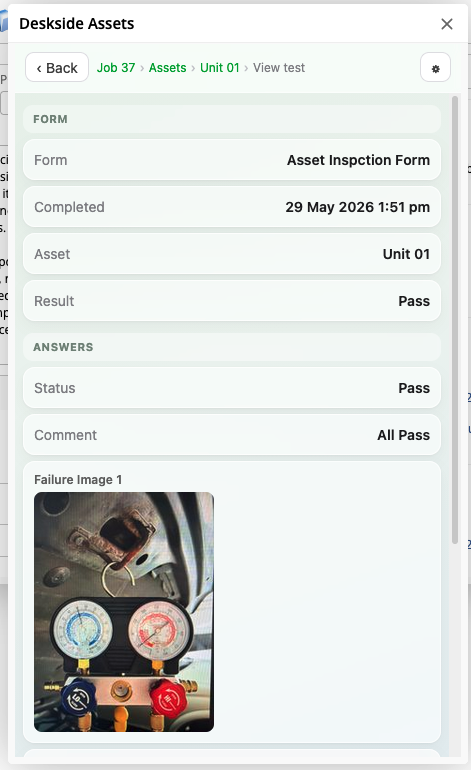
Drill into any asset for full details including location, photos, and a complete history of every test and form result.
- Asset photos and location map
- Complete test and inspection history
- Form results with pass/fail outcomes
- Pressure test due dates and scheduling
Two tiers to suit your needs
Choose the plan that fits your business. Upgrade any time as your needs grow.
OG Portal Essentials
Core client visibility for jobs and sites
- Jobs & quotes
- Sites & locations
- Interactive map
- Branded portal
- Assets & compliance
- Upcoming visits
OG Portal Professional
The full client experience with assets and visits
- Jobs & quotes
- Sites & locations
- Interactive map
- Branded portal
- Assets & compliance
- Upcoming visits
All Attachment Viewer
In BetaSee every attachment across every job for a site, without leaving ServiceM8.
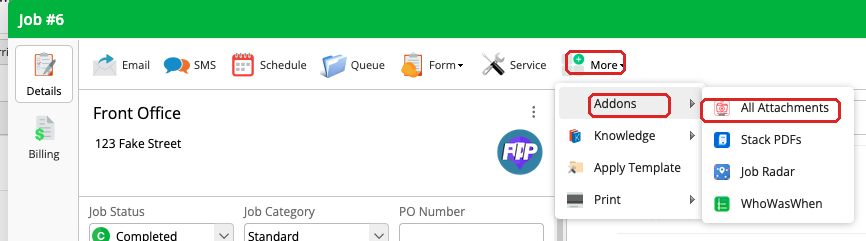
All Attachment Viewer integrates directly into the ServiceM8 web and mobile interface. Open it from any site and instantly browse every photo, PDF and file attached to every job at that location. All in one scrollable view. No more clicking through jobs one by one.
Free, forever
We plan on this addon being free and remaining free for all ServiceM8 users. No catches, no trials, no hidden fees. Take it as a gift to yourself.
*While we fully intend to keep this free, pricing is subject to change due to factors beyond our control. But rest assured, we'll try not to go full Order 66 on you.
Web View
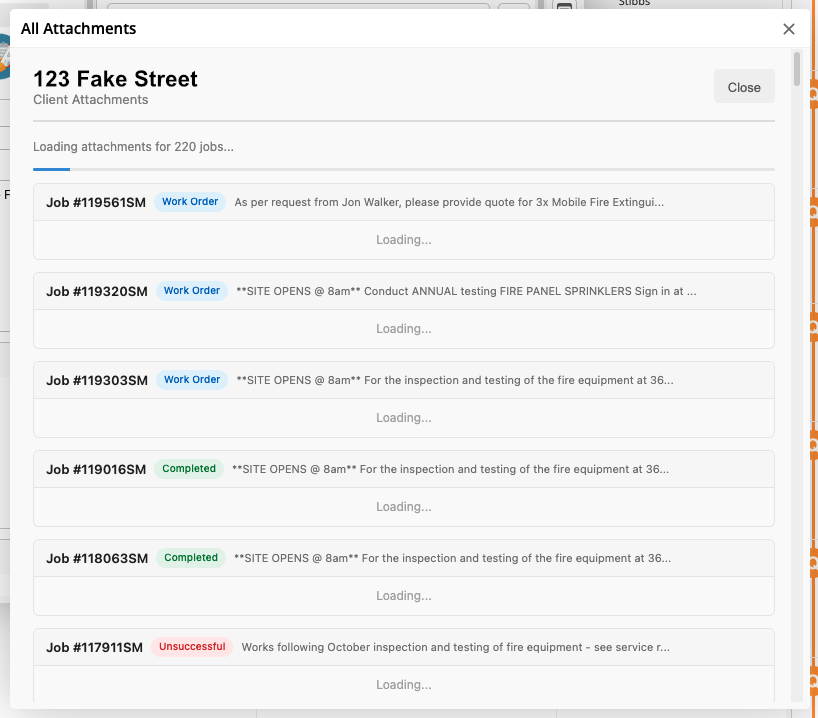
Browse all attachments for a site in a clean overlay. Photos, PDFs and documents grouped by job with status badges and descriptions.
- View all attachments across all jobs for a site
- Photos and PDFs grouped by job
- Job status badges and descriptions
- Works directly inside ServiceM8
Mobile View
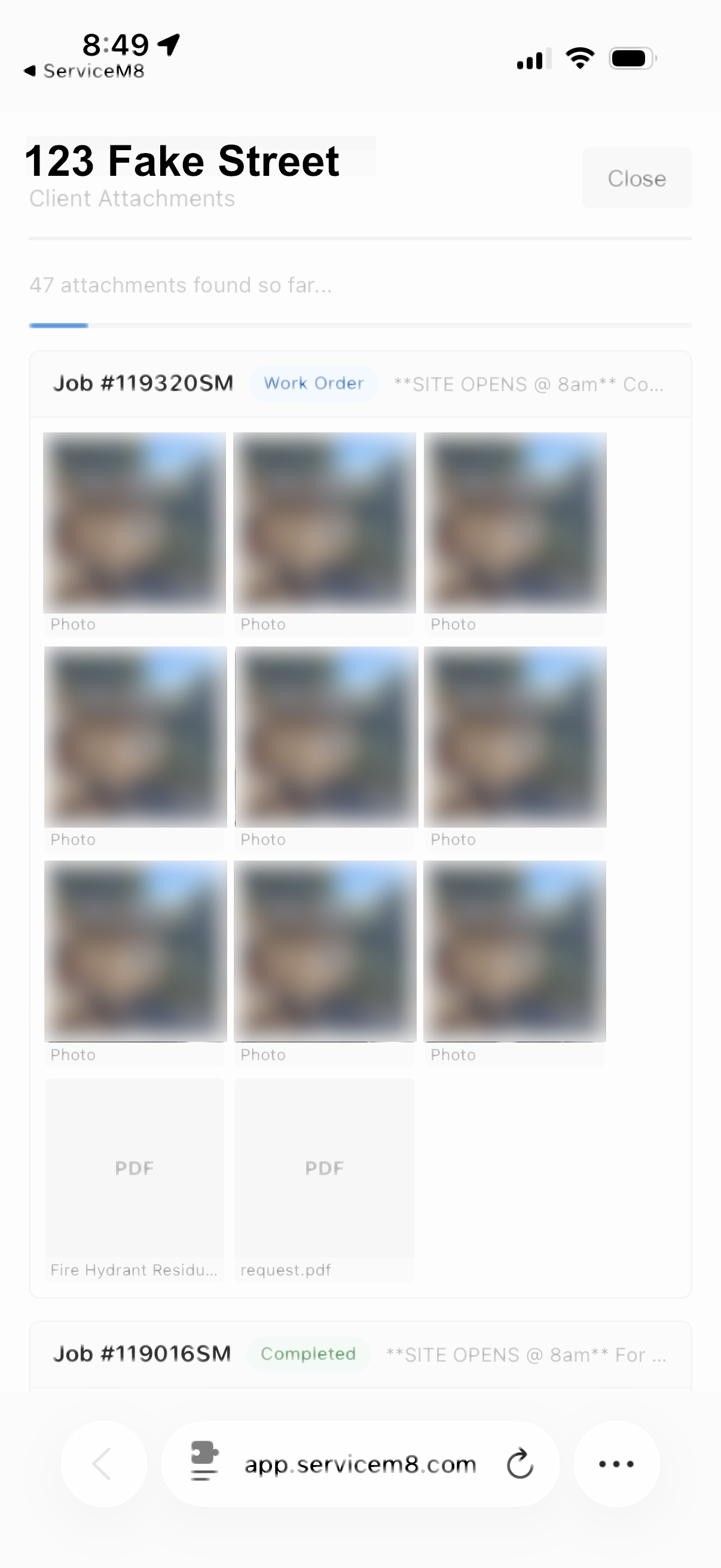
The same powerful attachment overview, right on your phone. Perfect for checking previous work on-site before starting a new job.
- Full mobile support via ServiceM8 app
- Scroll through photos and documents on-site
- Reference past work before starting new jobs
- No separate app required
Enable Beta Version
All Attachment Viewer is currently in public beta. Install it now to start testing — we're planning to submit it to the ServiceM8 Add-On marketplace in the near future. If you encounter any issues, please reach out to us.
Enable Beta VersionDataGrid
In BetaBulk edit ServiceM8 asset fields across an entire site in seconds.
DataGrid gives you a spreadsheet-style view of every asset on a site, organised by asset type. Select one, some, or all assets and update fields in bulk — no more opening each asset individually. Need to take your data offline? Export any asset type to CSV with a single click.
Free while in beta
DataGrid is currently free to use during the beta period. Once we move to public release, there will be a nominal fee. Get in early and start saving time now.
Choose Your Asset Type
Start by selecting which asset type you want to work with. DataGrid pulls every asset type from your ServiceM8 account into a searchable list so you can jump straight to what you need.
- All asset types from your account in one list
- Searchable for quick access
- Works with any custom asset types you've created
Pick a Site
Select the client or site you want to load assets for. Search by name and filter to sites only, so you can find the right location in seconds.
- Search clients and sites by name
- Filter to sites only for faster navigation
- Supports all your ServiceM8 clients and locations
Spreadsheet-Style Grid View
Every asset for the selected site and type is loaded into a familiar spreadsheet layout. See all your data at a glance — asset names, codes, locations, types, sizes, dates and more.
- All asset fields visible in a sortable grid
- Select individual assets or select all at once
- Export the entire grid to CSV with one click
Bulk Edit in One Go
Select the assets you want to update, choose a field, set the new value and apply it to all of them at once. What used to take an hour of clicking through individual assets now takes seconds.
- Update any field across multiple assets simultaneously
- Choose from all available fields via dropdown
- Confirmation count so you know exactly how many assets are affected
- Changes sync directly back to ServiceM8
Enable Beta Version
DataGrid is currently in public beta. Install it now to start testing — we're planning to submit it to the ServiceM8 Add-On marketplace in the near future. If you encounter any issues, please reach out to us.
Enable Beta VersionHaving issues with any of our addons?
We're here to help. Reach out and we'll get you sorted.
Contact SupportBy using our ServiceM8 addons, you agree to our ServiceM8 Addon Privacy Policy.